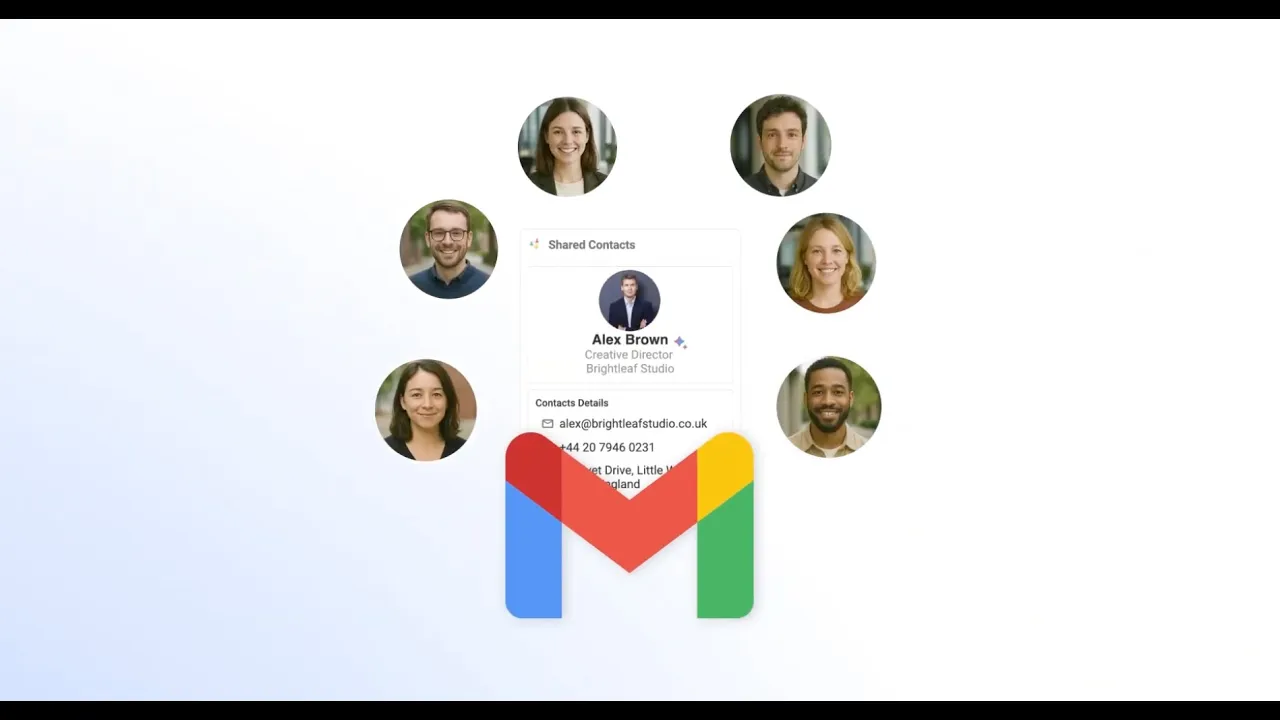
AI-Assisted Contacts creation and updateS
AI-Assisted Contacts creation
and updateS
AI-Assisted Contacts creation and updateS
Integrate AI to your contact management
Integrate AI to your contact management
Integrate AI
to your contact management
ContactsFlow™ AI agent creates, updates and centralize your contacts automatically.
ContactsFlow™ AI agent creates, updates and centralize your contacts automatically.
Sync with 6,000+ apps and platforms :
Sync with 6,000+ apps and platforms :








Your AI contact assistant on the go
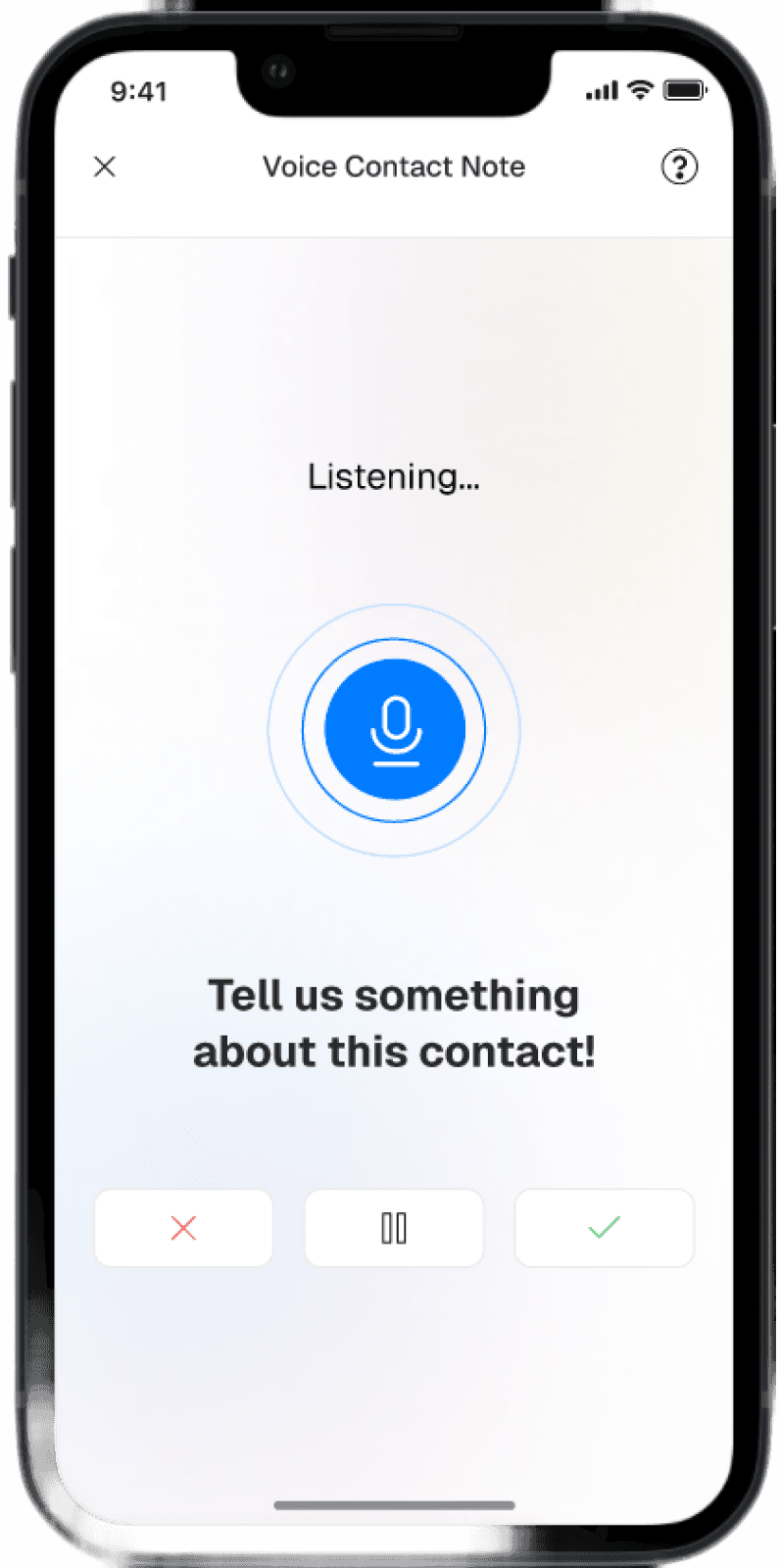
Talk to your phone
to create a contactJust record a conversation or tell your phone what you know about a contact and it will be created on the fly.
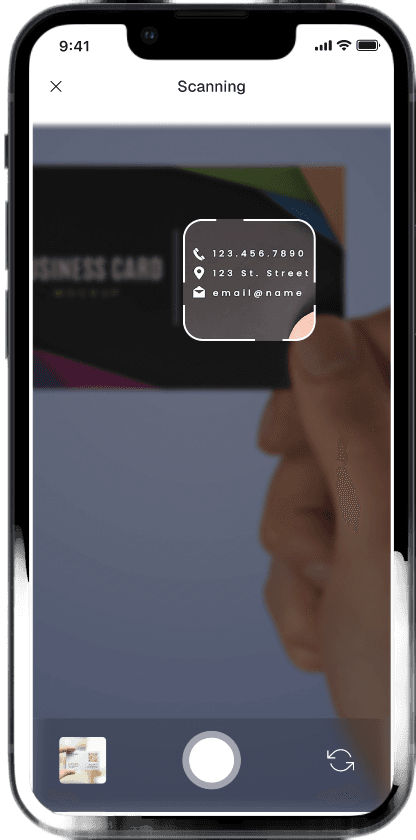
Capture contacts from any photo
Scan a business card, a poster , a badge or a brochure to populate an extensive contact card.
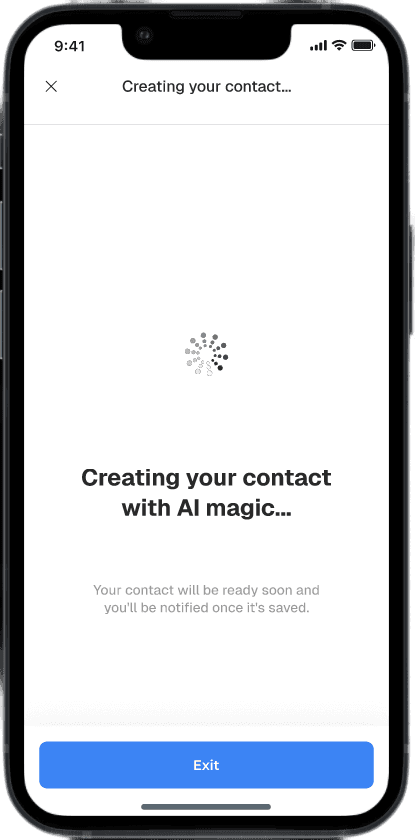
Use AI to process the info you collect
Beyond phone numbers and emails, AI fills descriptions, custom fields and also add notes and summaries to your contact cards.
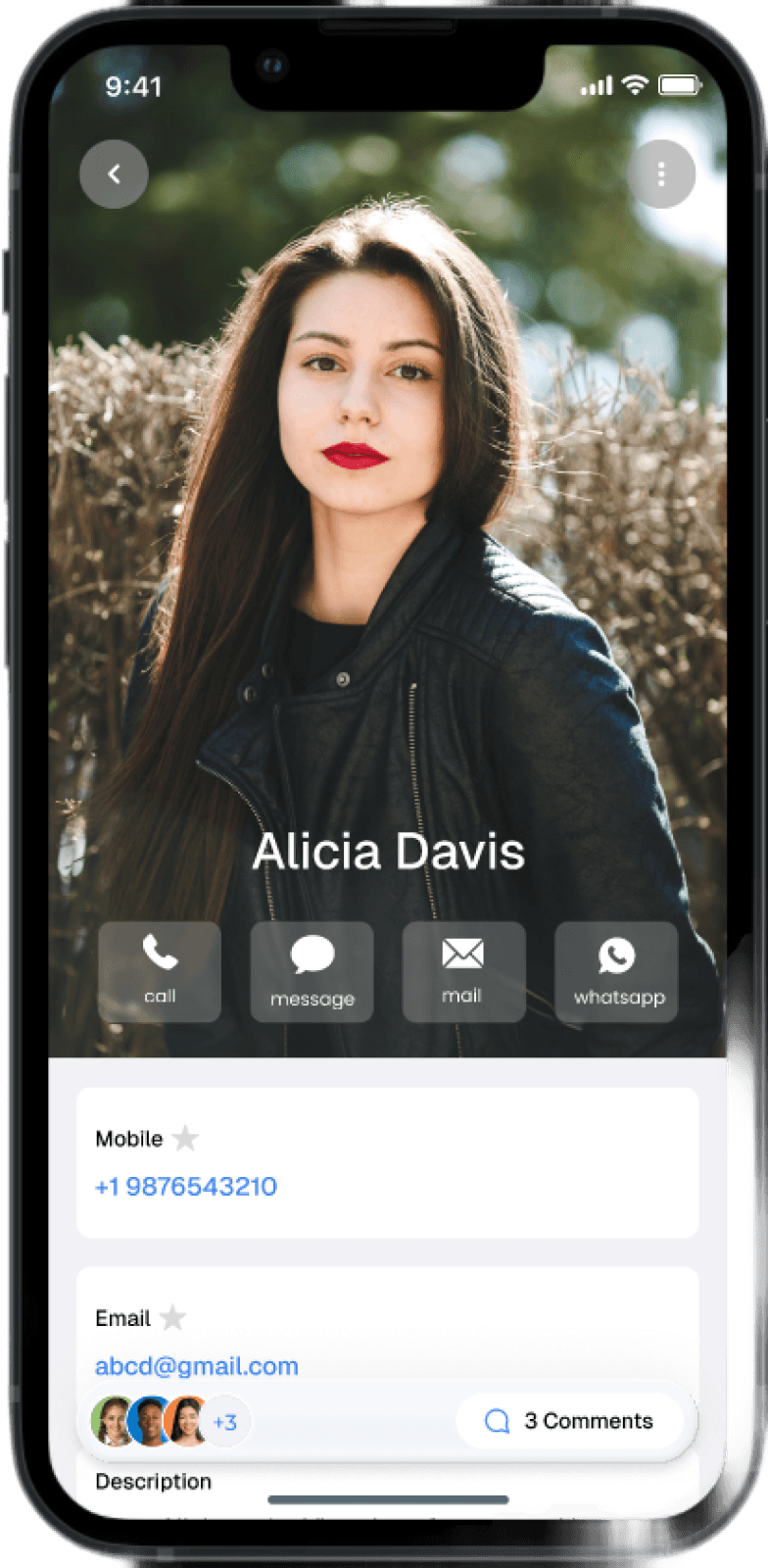
Same contacts for your team members
Shared Contacts show basic information, custom fields and notes added by your colleagues.
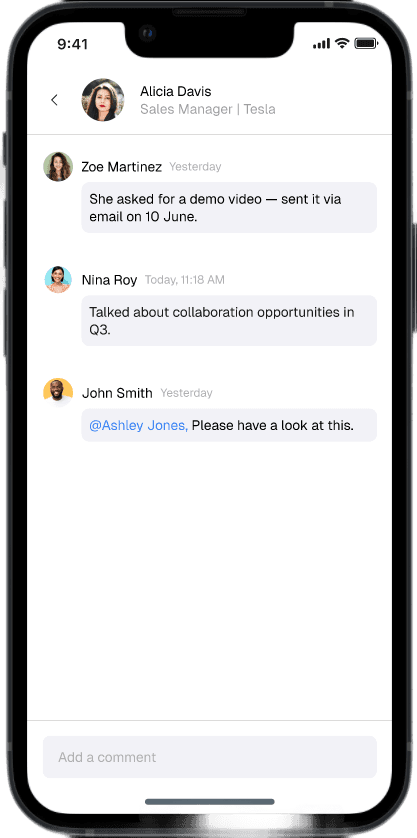
Add notes and notify colleagues
Add comments, tag your colleagues, and send notifications from a specific contact card. Your own mini CRM.
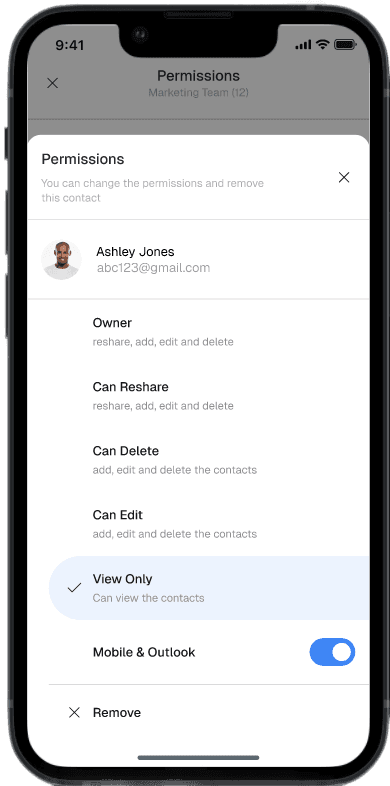
Assign Permissions to your contact lists
Grant permissions to your colleague to view only, edit the contacts and more.
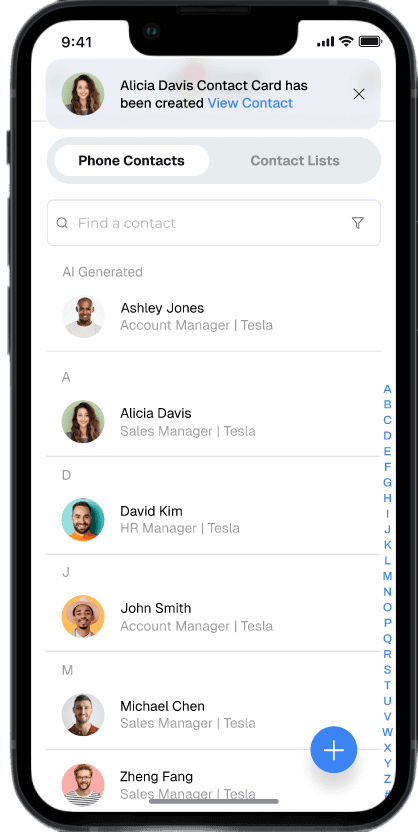
All your contacts
in one place !Connect your Company Directory, your Google contact labels, your CRM contacts and more in one single app!
Send message to
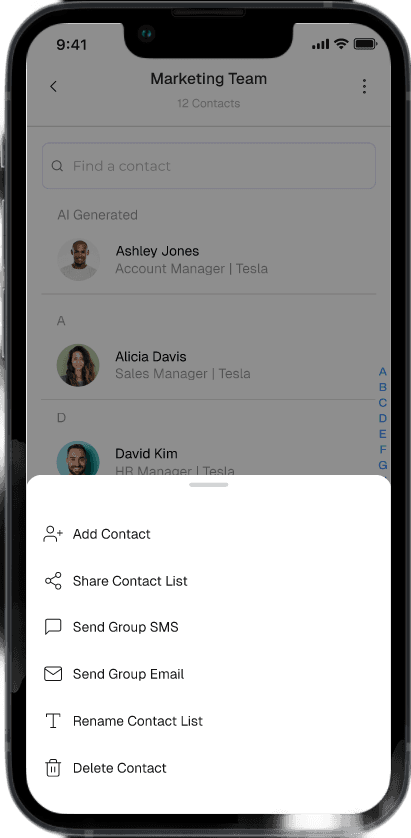
whole contact listSend group emails or SMS
to your contact lists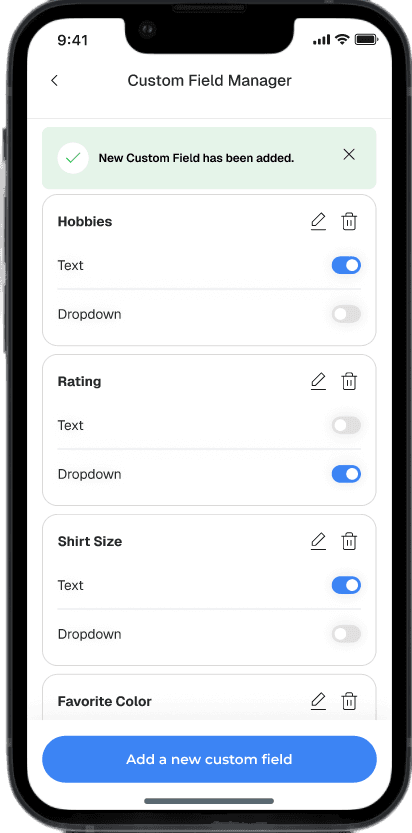
Contacts cards designed
for your businessDesign the contact card template tailored to your organization needs, thank to custom fields
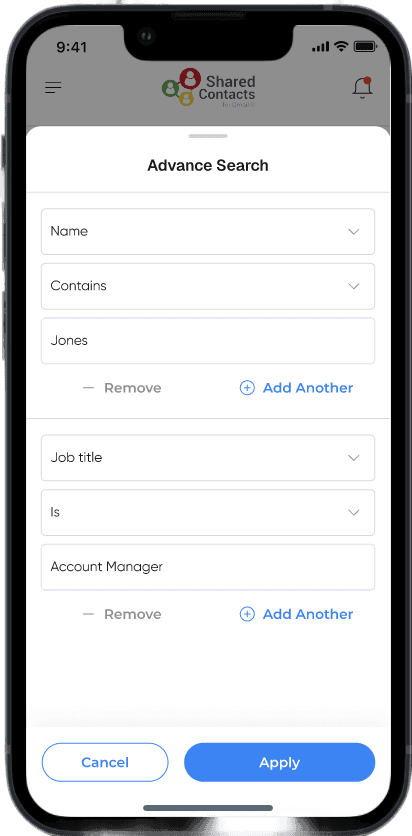
Find any contact
with advanced searchFind contacts faster by including
multiple search criteriaAll your contacts in one App
All your contacts lists in one place (Company directory, Google Contact lists, CRM Contacts etc.)

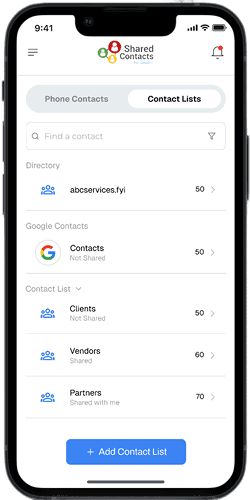
All your contacts in one App
All your contacts lists in one place (Company directory, Google Contact lists, CRM Contacts etc.)
Manage your directory in one place.
Connect your Company Directory, your Google contact labels, your CRM contacts and more in one single app!
Talk to your phone
to create a contactJust record a conversation or tell your phone what you know about a contact and it will be created on the fly.
Capture contacts from any photo
Scan a business card, a poster , a badge or a brochure to populate an extensive contact card.
Use AI to process the info you collect
Beyond phone numbers and emails, AI fills descriptions, custom fields and also add notes and summaries to your contact cards.
Same contacts for your team members
Shared Contacts show basic information, custom fields and notes added by your colleagues.
Add notes and notify colleagues
Add comments, tag your colleagues, and send notifications from a specific contact card. Your own mini CRM.
Assign Permissions to your contact lists
Grant permissions to your colleague to view only, edit the contacts and more.
Send message to
whole contact listSend group emails or SMS
to your contact listsContacts cards designed
for your businessDesign the contact card template tailored to your organization needs, thank to custom fields
Find any contact
with advanced searchFind contacts faster by including
multiple search criteria
Turn anything on your desktop into a contact
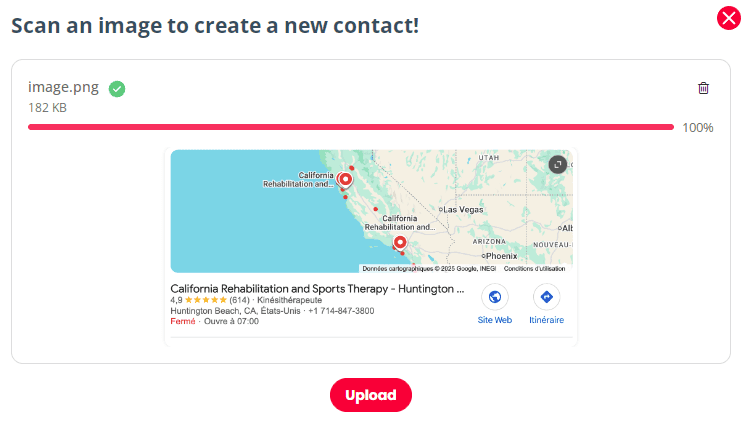
Screenshot anything to make it a contact
ContactsFlow™ web application allows to paste or upload any image to turn them into contacts classified in the right categories.
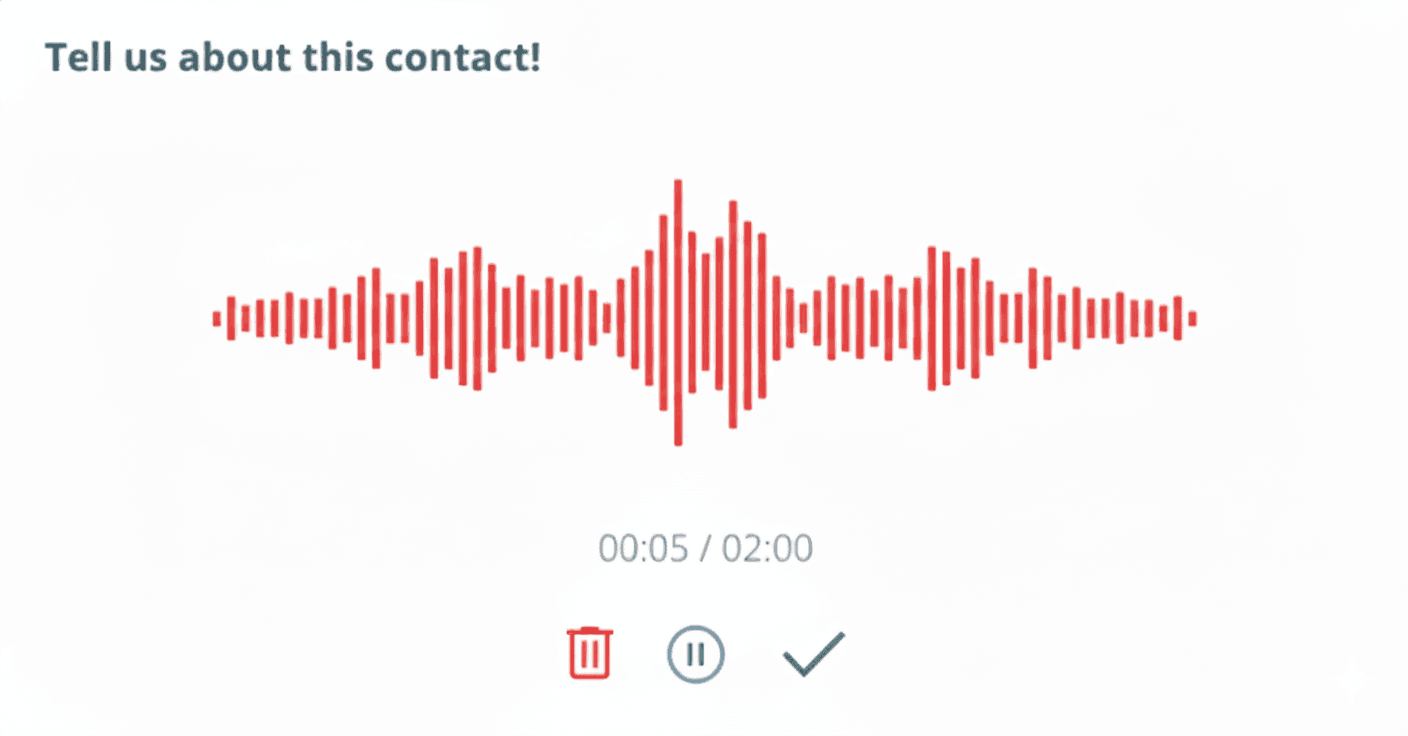
Talk to your computer to create any contact
Record a meeting, a phone conversation of simply tell your computer what contact to create, ContactsFlow™ creates the contact with all the details immediately.
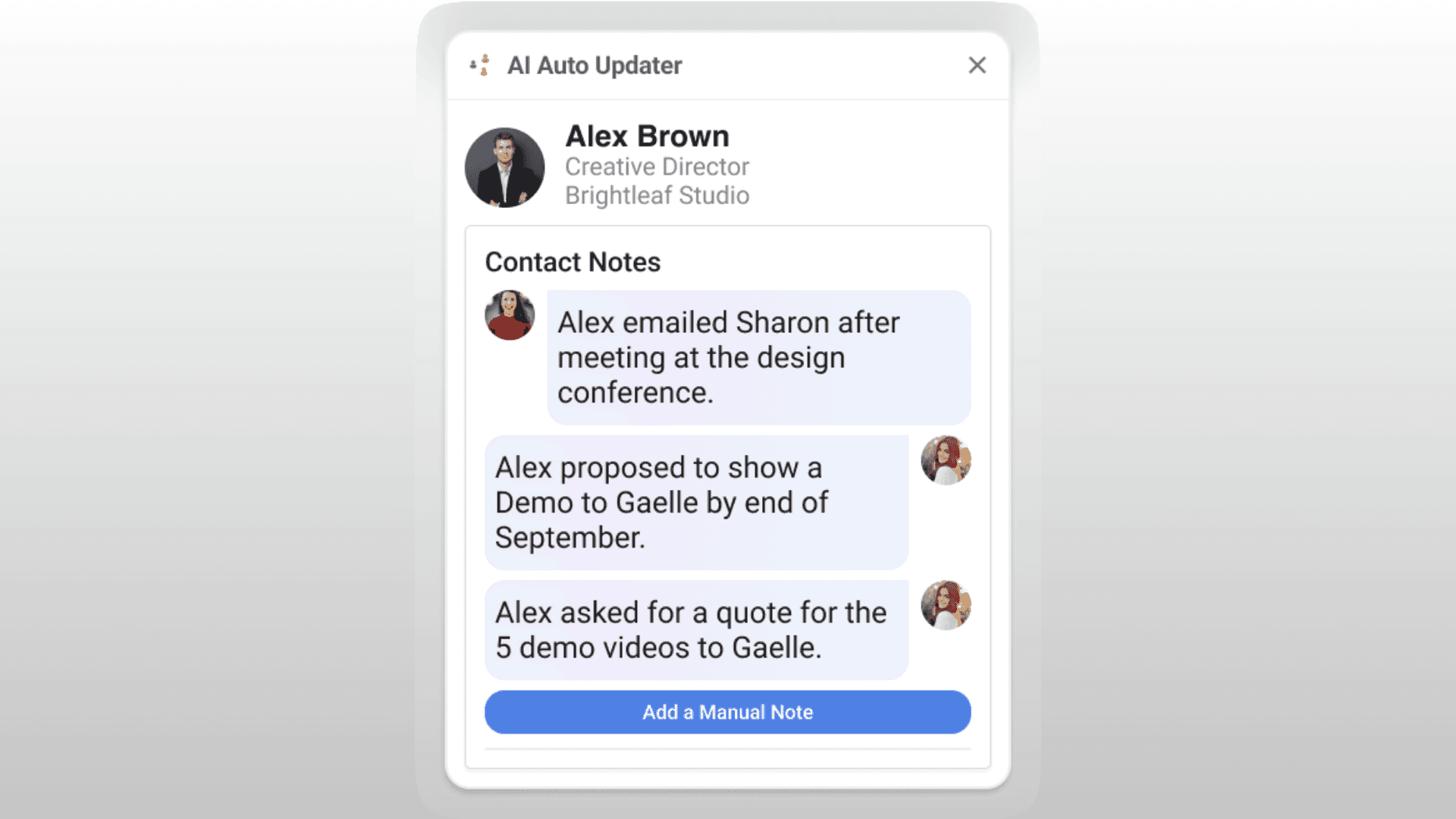
Update your contacts and add notes automatically
Whenever something happens to a contact (like an address changed or a quote request), you can simply record the note, and it will automatically update the contact details and add the new events in the notes.
Synchronize your contacts with your team
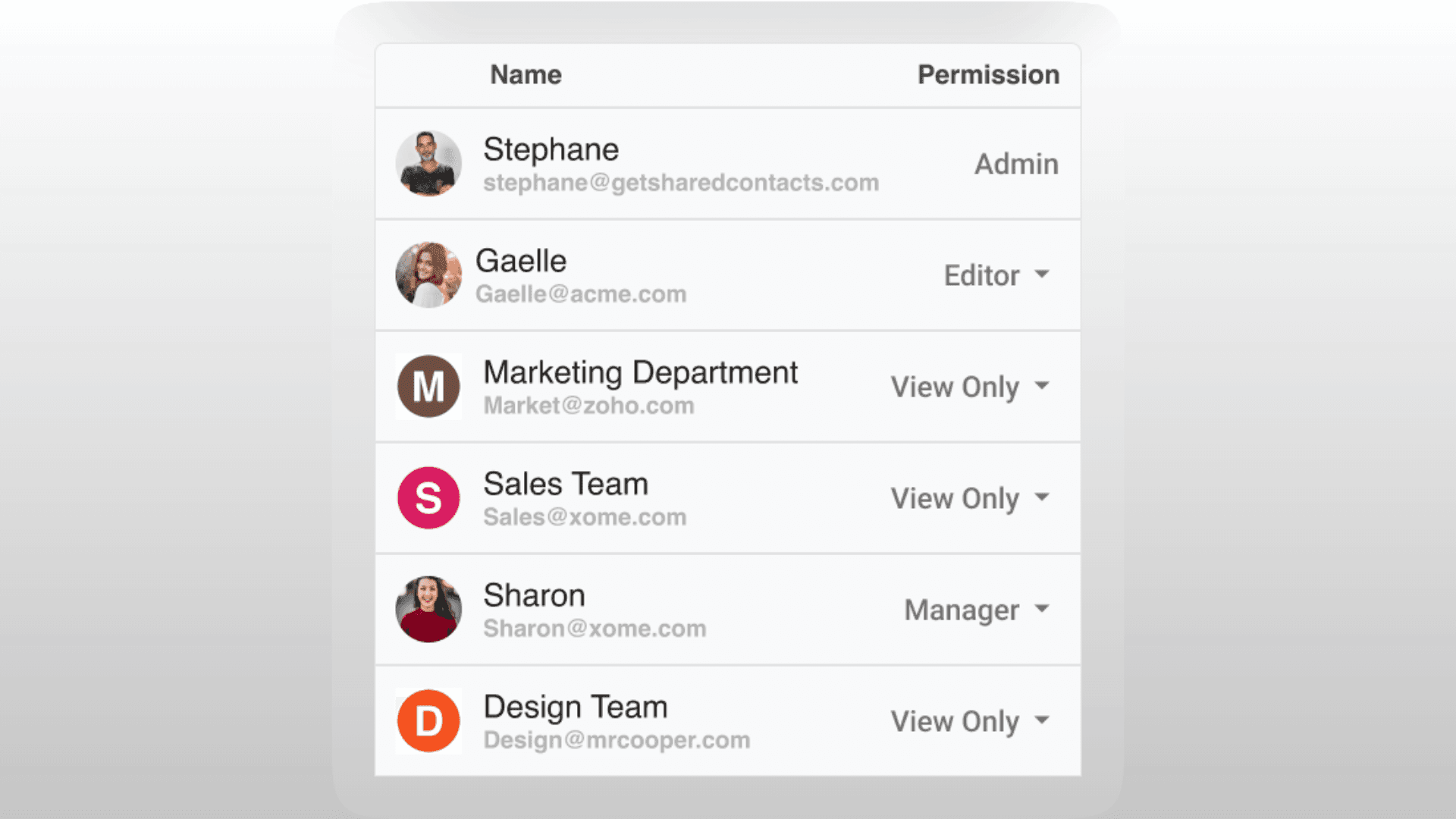
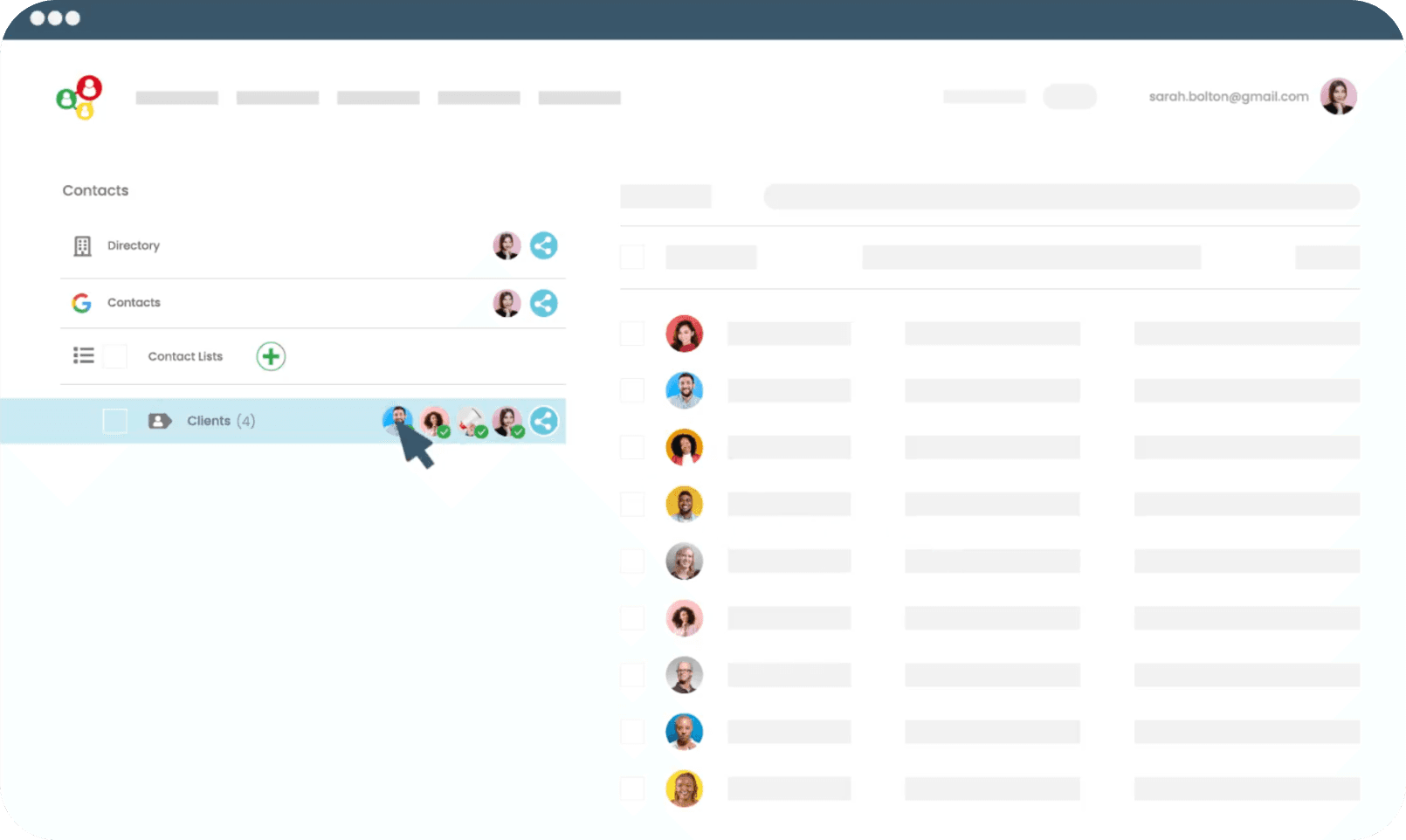
Share contact lists with your colleagues with granular permissions to keep them in sync.
Screenshot anything to make it a contact
ContactsFlow™ web application allows to paste or upload any image to turn them into contacts classified in the right categories.
Talk to your computer to create any contact
Record a meeting, a phone conversation of simply tell your computer what contact to create, ContactsFlow™ creates the contact with all the details immediately.
Update your contacts and add notes automatically
Whenever something happens to a contact (like an address changed or a quote request), you can simply record the note, and it will automatically update the contact details and add the new events in the notes.
Synchronize your contacts with your team
Share contact lists with your colleagues with granular permissions to keep them in sync.
Screenshot anything to make it a contact
ContactsFlow™ web application allows to paste or upload any image to turn them into contacts classified in the right categories.
Talk to your computer to create any contact
Record a meeting, a phone conversation of simply tell your computer what contact to create, ContactsFlow™ creates the contact with all the details immediately.
Update your contacts and add notes automatically
Whenever something happens to a contact (like an address changed or a quote request), you can simply record the note, and it will automatically update the contact details and add the new events in the notes.
Synchronize your contacts with your team
Share contact lists with your colleagues with granular permissions to keep them in sync.
A unique Gmail addon
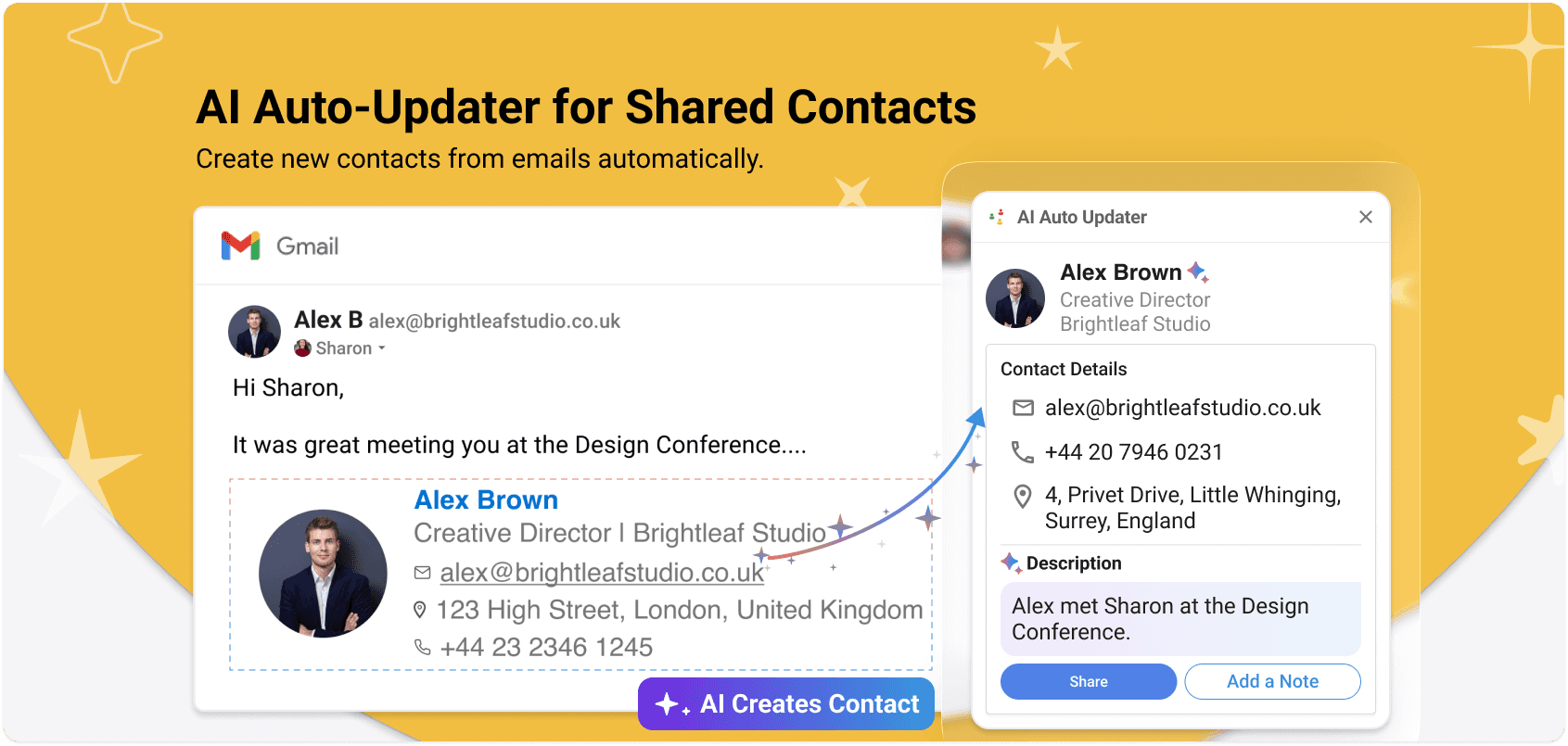
Create new contacts from emails automatically
When a new contact is detected in an email, Auto Updater for ContactsFlow™ creates it in your personal address book, with all the information captured from the email content or signature. Then you can share that contact in one click.
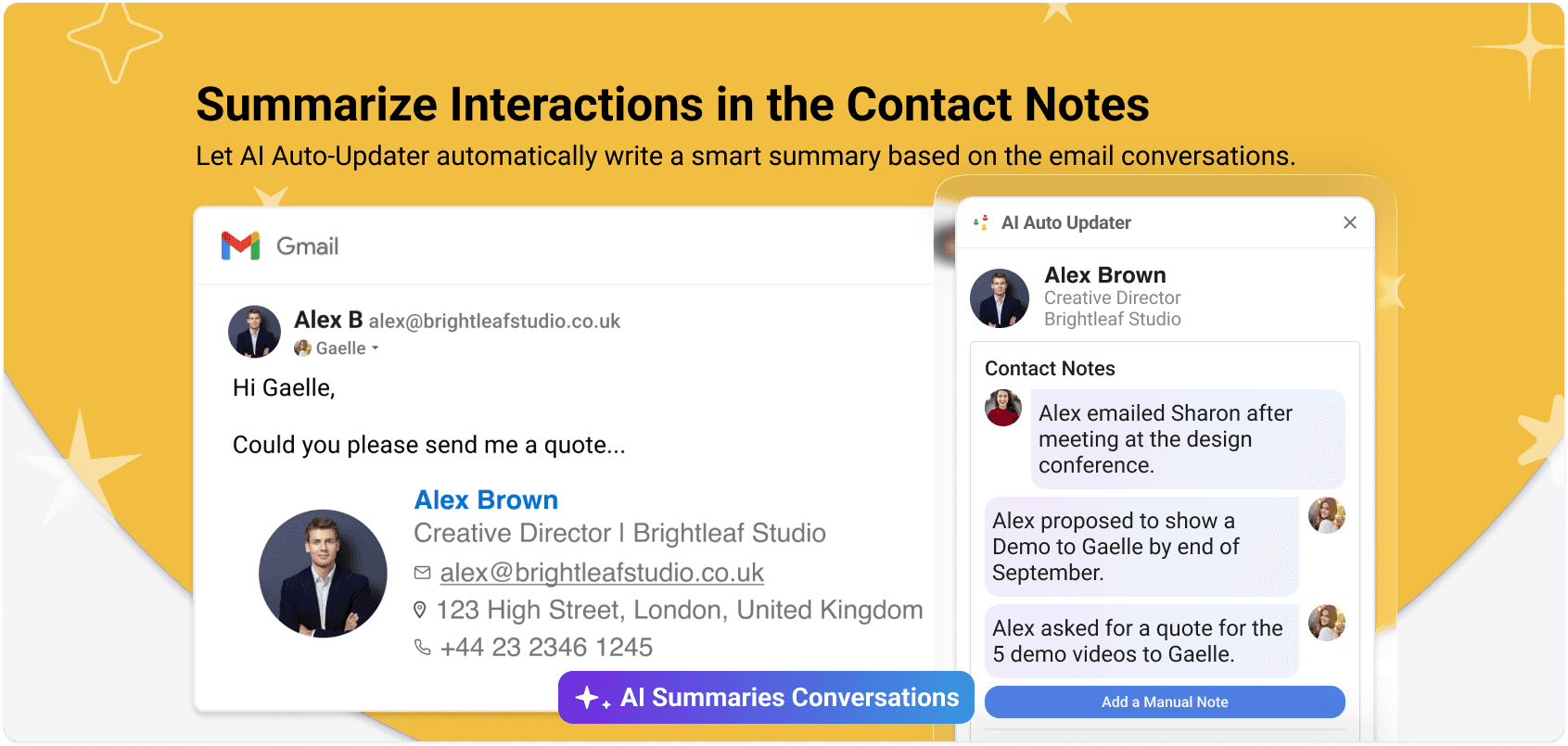
Summarize messages in
the contact notesAI-auto updater for ContactsFlow™ saves the summary of the email as a note.
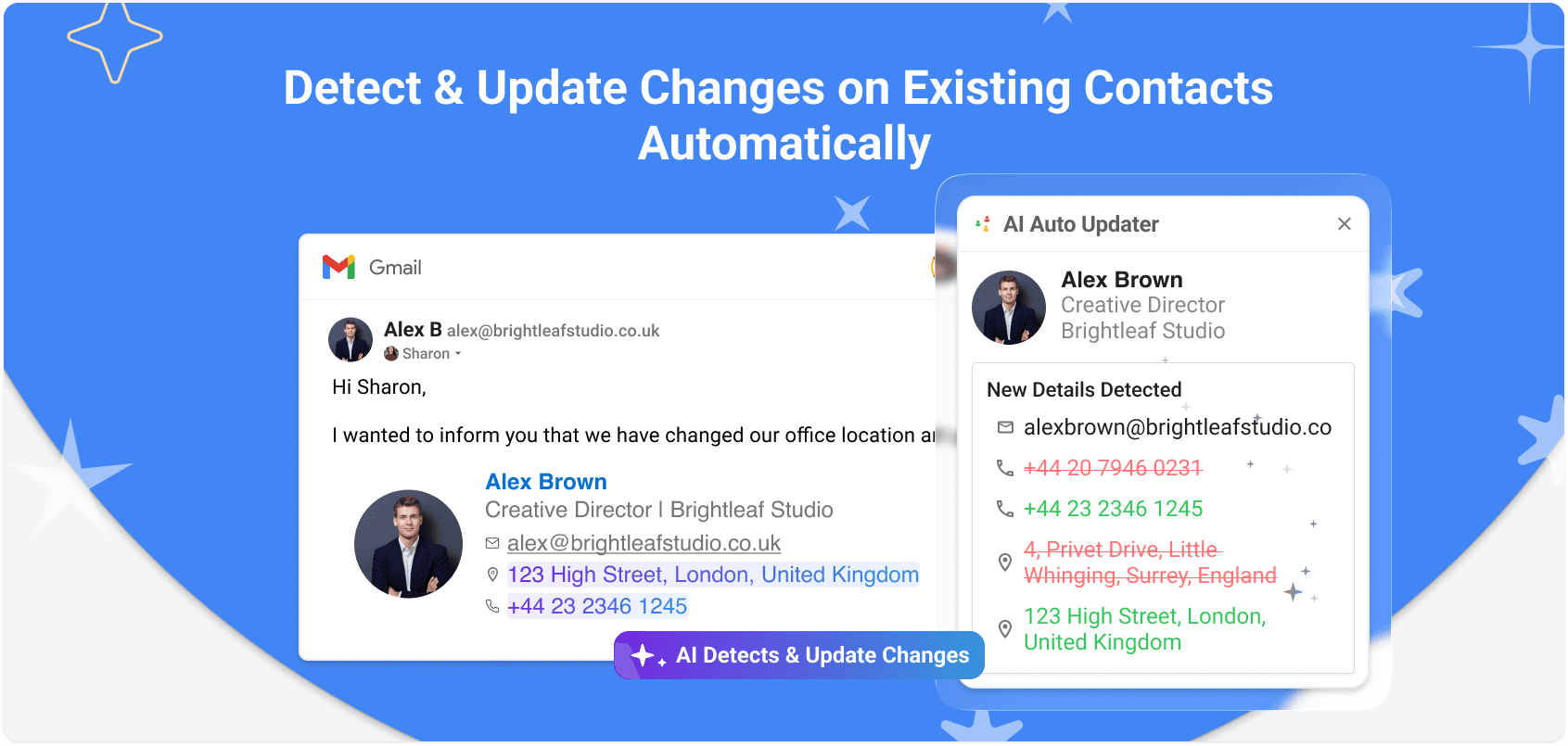
Detect changes
on existing contactsWhen someone who is already in your contacts sends you an email containing new information (signature or other), the contact is updated with the changes.
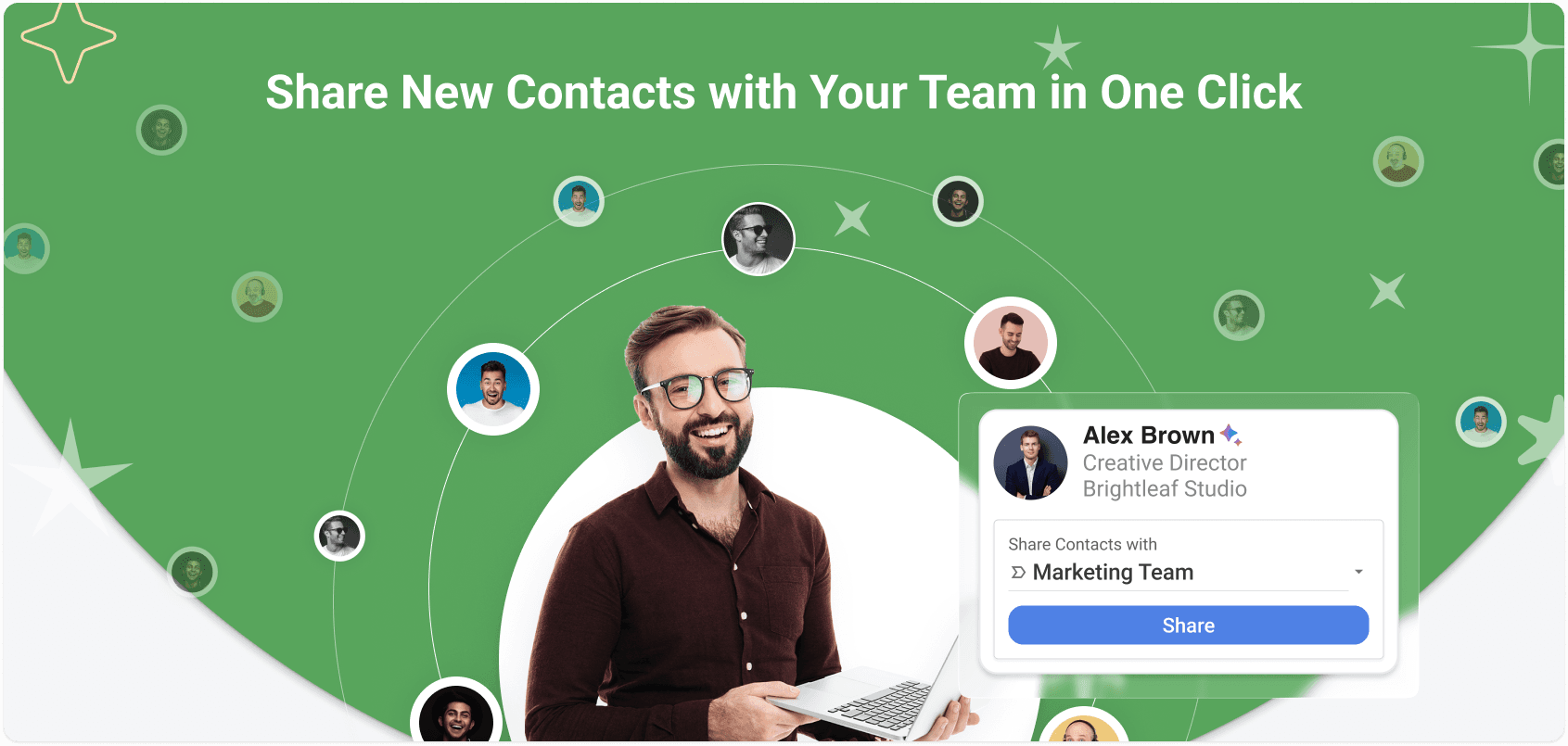
Share new contacts
with your team in one clickIt takes one click to add a contact to the shared list and sync it automatically with your colleagues.
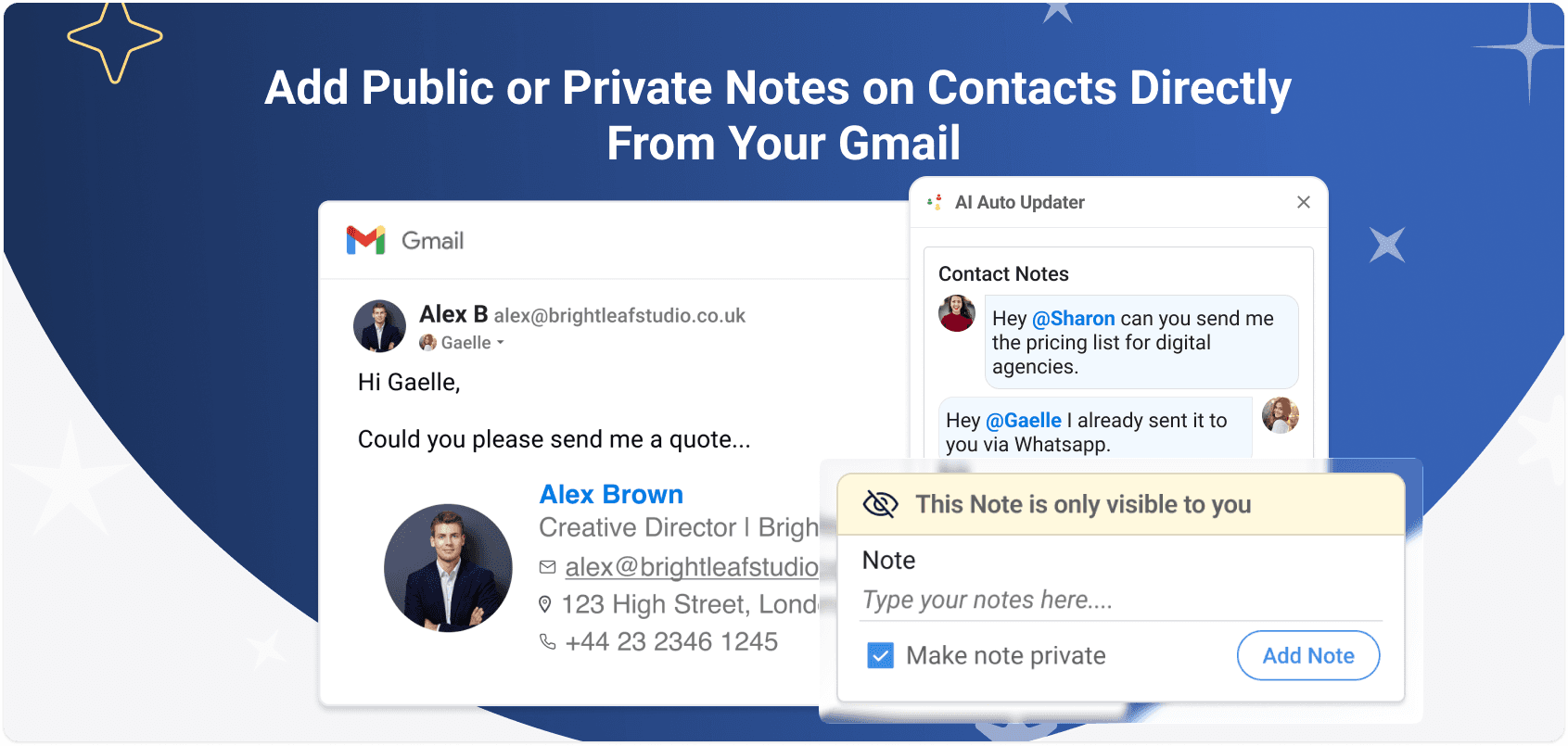
Add public or private notes on contacts directly from Gmail
Not only AI adds notes. You can also add notes and mention your colleagues who will receive a notification.
Create new contacts from emails automatically
When a new contact is detected in an email, Auto Updater for Shared Contacts creates it in your personal address book, with all the information captured from the email content or signature. Then you can share that contact in one click.
Summarize messages in the contact notes
AI-auto updater for Shared Contacts saves the summary of the email as a note.
Detect changes on existing contacts
When someone who is already in your contacts sends you an email containing new information (signature or other), the contact is updated with the changes.
Share new contacts with your team in one click
It takes one click to add a contact to the shared list and sync it automatically with your colleagues.
Add public or private notes on contacts directly from Gmail
Not only AI adds notes. You can also add notes and mention your colleagues who will receive a notification.
Create new contacts from emails automatically
When a new contact is detected in an email, Auto Updater for Shared Contacts creates it in your personal address book, with all the information captured from the email content or signature. Then you can share that contact in one click.
Summarize messages in the contact notes
AI-auto updater for Shared Contacts saves the summary of the email as a note.
Detect changes on existing contacts
When someone who is already in your contacts sends you an email containing new information (signature or other), the contact is updated with the changes.
Share new contacts with your team in one click
It takes one click to add a contact to the shared list and sync it automatically with your colleagues.
Add public or private notes on contacts directly from Gmail
Not only AI adds notes. You can also add notes and mention your colleagues who will receive a notification.
Automatic sync from your favourite tools
Capture Leads from your website and transform them into share contacts instantly
When a new contact is detected in an email, Auto Updater for Shared Contacts creates it in your personal address book, with all the information captured from the email content or signature. Then you can share that contact in one click.
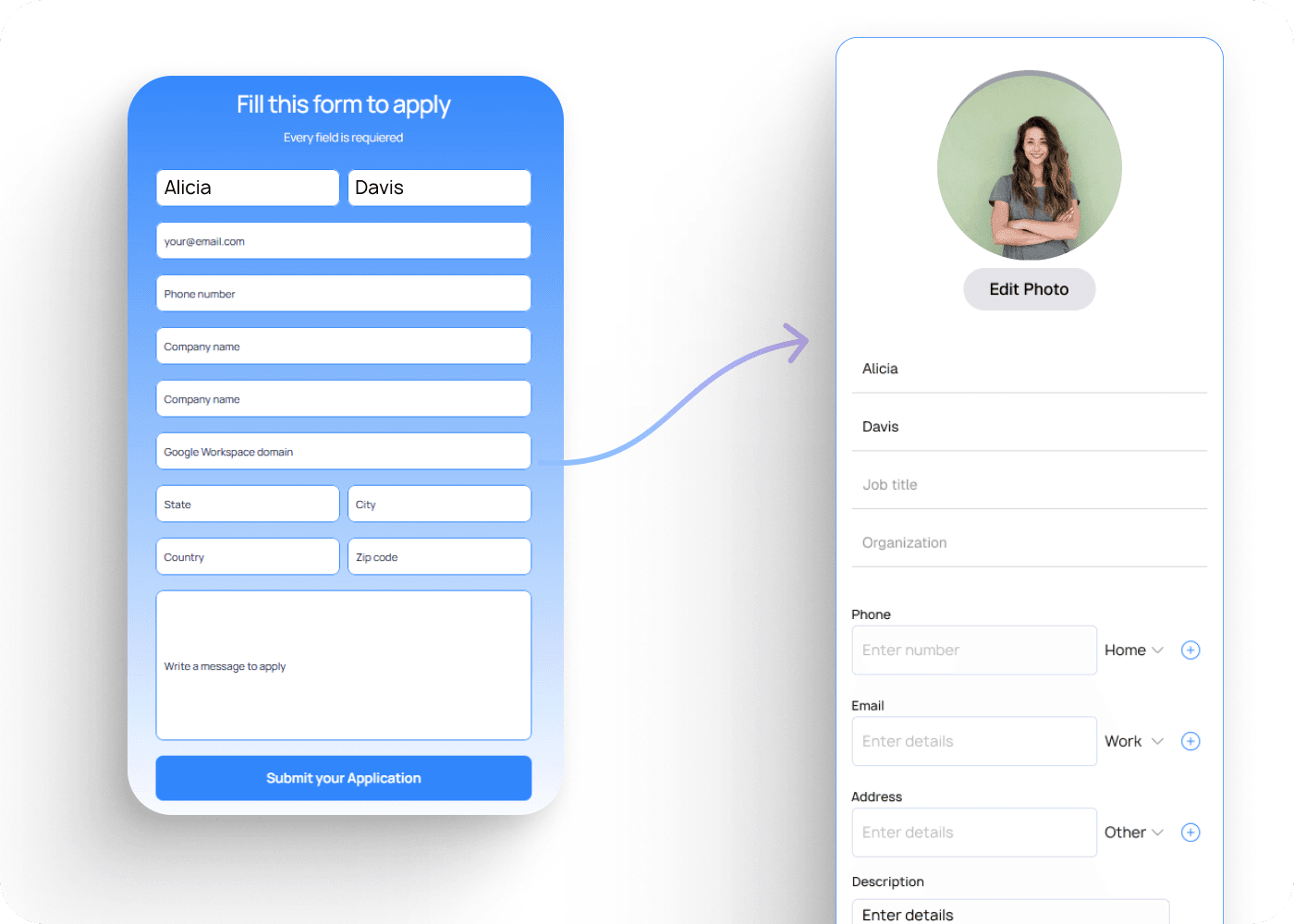
Directories Synchronization
A new user in your organization ? A new employee changes names or Job title ? Shared Contacts for Gmail™’s native integration with Google Workspace Directory, allows you to sync the contact details of your domain users from any LDAP server with the apps and devices of your collaborators, even outside of your domain.
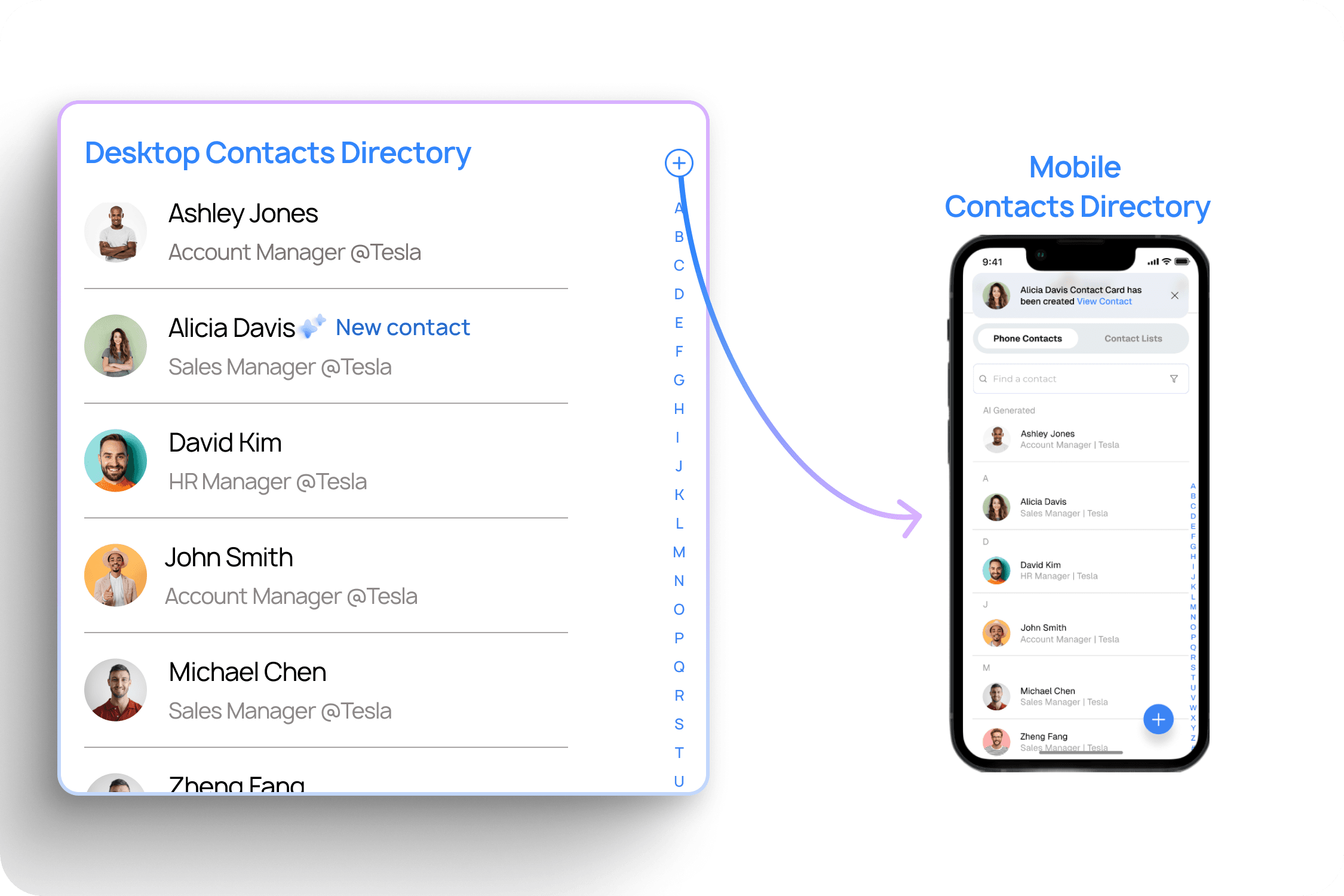
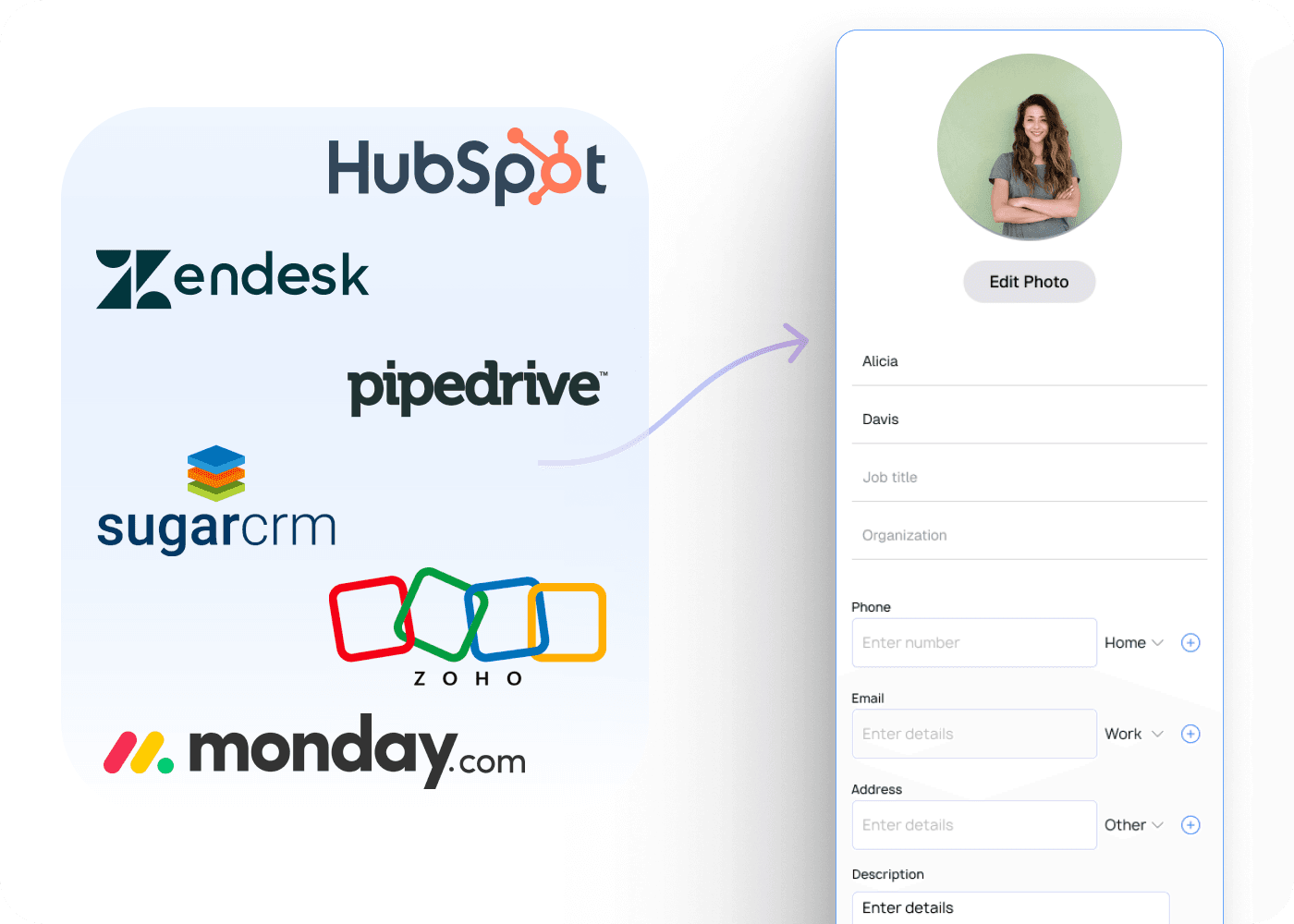
Integrate your CRM and pay less every month
Instead of paying costly CRM licenses for every user that need to access contact, simply to integrate it with shared contacts. Let us set up this integration for you and save money !
Your imagination is the limit !
You need to capture and share contacts automatically from another app or process ? Tell us what you have in mind and we help you achieving it !

Directories Synchronization
A new user in your organization ? A new employee changes names or Job title ? Shared Contacts for Gmail™’s native integration with Google Workspace Directory, allows you to sync the contact details of your domain users from any LDAP server with the apps and devices of your collaborators, even outside of your domain.
Tell us what automation do you need
Capture Leads from your website and transform them into share contacts instantly
When a new contact is detected in an email, Auto Updater for Shared Contacts creates it in your personal address book, with all the information captured from the email content or signature. Then you can share that contact in one click.
Tell us what automation do you need
Integrate your CRM and pay less every month
Instead of paying costly CRM licenses for every user that need to access contact, simply to integrate it with shared contacts. Let us set up this integration for you and save money !
Tell us what automation do you need
Your imagination is the limit !
You need to capture and share contacts automatically from another app or process ? Tell us what you have in mind and we help you achieving it !
Tell us what automation do you need
Capture Leads from your website and transform them into share contacts instantly
When a new contact is detected in an email, Auto Updater for Shared Contacts creates it in your personal address book, with all the information captured from the email content or signature. Then you can share that contact in one click.
Directories Synchronization
A new user in your organization ? A new employee changes names or Job title ? Shared Contacts for Gmail™’s native integration with Google Workspace Directory, allows you to sync the contact details of your domain users from any LDAP server with the apps and devices of your collaborators, even outside of your domain.
Integrate your CRM and pay less every month
Instead of paying costly CRM licenses for every user that need to access contact, simply to integrate it with shared contacts. Let us set up this integration for you and save money !
Your imagination is the limit !
You need to capture and share contacts automatically from another app or process ? Tell us what you have in mind and we help you achieving it !
We handle everything.
We automate your contact flows to eliminate manual work. Whether it’s a new employee in your directory or HR system, a lead from your website, a CRM update, or an email inquiry, we make sure their contact is automatically created and shared with the right teammates.






























No more time wasted
Boost productivity with automation : no more manual updates or outdated contacts.

We got your back !
Our Google Workspace-certified engineers will set up your contact automation — free of charge.
Book a quick audit call and eliminate 80% of your manual work.
We keep your data safe, private and secure.
With ContactsFlow™ all the information your share are always yours.
Certified GDPR and SOC-2 compliance, we will never use your data.
With Shared Contacts all the informations your share are always yours. Certified GDPR and SOC-2 compliance, we will never use your data.

SOC2
Compliance
SOC2
Compliance

GDPR
Compliance
GDPR
Compliance

Hosted and Stored in EU
Hosted and Stored in EU

EU / US
Privacy Shield
EU / US
Privacy Shield

EU AI act
Compliant
EU AI act
Compliant
TEstimonials
They choosed us.
They got results.
Watch real stories from real teams and discover how ContactsFlow™ transformed the way they manage and share contacts.
FAQ
FAQ
All the questions you can ask yourself,
and every response we can give.
All the questions you can ask yourself, and every response we can give.
All the questions you can ask yourself,
and every response we can give.
Why did Shared Contacts for Gmail™ become ContactsFlow™ ?
Do I need to install it for the whole company ?
Is it complicated to set up or to use ?
Can I create or update contacts directly from Gmail or mobile ?
Will contacts sync automatically with my team ?
What happens after the 15-day free trial ?
Can I choose who sees or edits a contact?
Is the data secure and GDPR compliant ?
Can shared contact be updated by users ?
Can I share all my Google contacts at once automatically ?
Why am I required to grant permission to my Google account ?
When a shared contact calls a user’s phone, will the caller ID recognize this contact automatically ?
How is my data protected ?
Can I use it with users outside my organization?
Can I use it with users outside my organization?
Mobile app, web app or addon.
Always with you
Mobile App
Mobile App
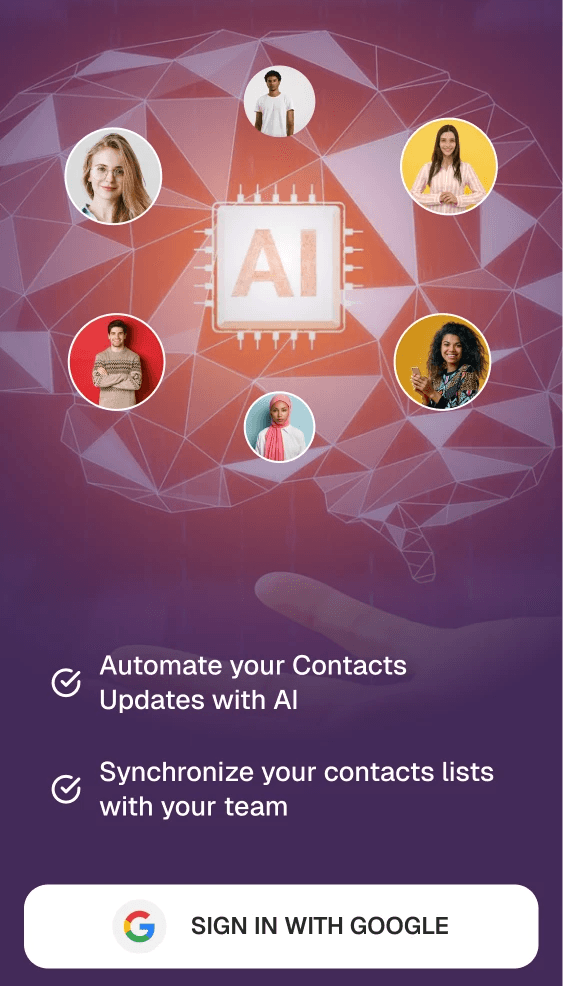
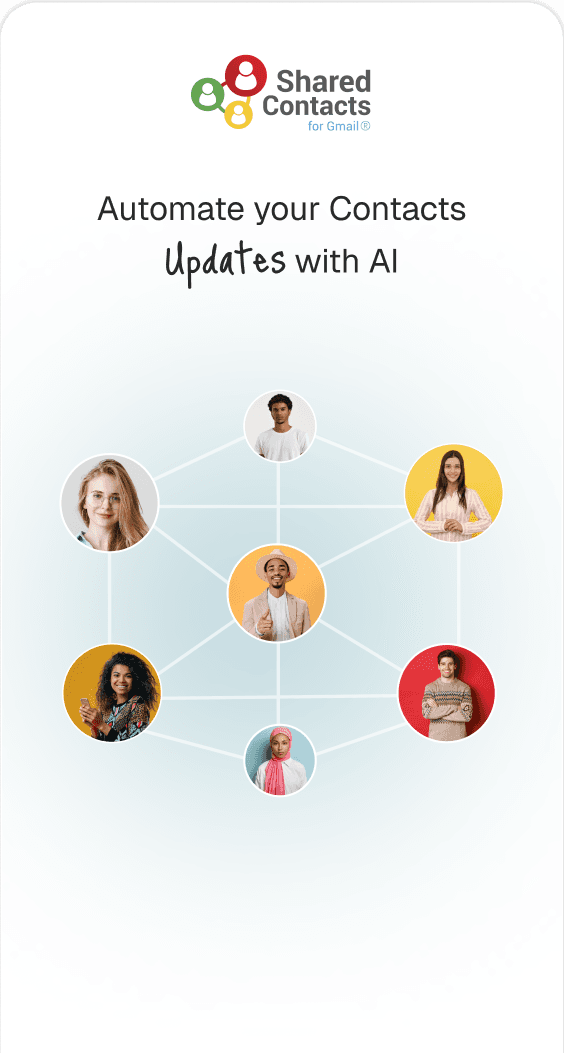
AI follows you on the go



Useful links





Copyright®2026 | All Rights Reserved
powered by Tara Webdesign





Useful links
Copyright®2026 | All Rights Reserved
powered by Tara Webdesign
Useful links
Copyright®2026 | All Rights Reserved
powered by Tara Webdesign