How to get the best advisors with Gemini Gems
Ever wished you could ask advice from the world’s greatest thinkers whenever you need it? Gemini Gems allows you to create personalized AI advisors trained on books, interviews, speeches, and other content from experts you admire. In this guide, you’ll learn what Gemini Gems are, how to create and train your own digital advisors, and how to use them for brainstorming, decision-making, research, and productivity.
Gemini Gems let you create personalized AI advisors based on experts, authors, entrepreneurs, and thought leaders.
You can train Gems using books, interviews, podcasts, speeches, and other knowledge sources.
Gems can provide advice, answer questions, brainstorm ideas, and assist with tasks based on their training.
Multiple Gems can be used together to simulate a personal advisory board with different perspectives.
Gemini Gems can help with strategy, communication, leadership, productivity, research, and problem-solving.
Regularly updating your Gems with new content helps keep their knowledge current and relevant.


1.What Are Gemini Gems and Why They’re a Game-Changer
Imagine if you could build your own personal advisory board, filled with the smartest minds in the world, people who’ve written bestsellers, given TED Talks, and built global companies.
With Gemini Gems, you can do exactly that. By training digital “Gems” on a person’s books, interviews, and speeches, you can create an AI version of them that thinks, speaks, and advises like the real expert, available 24/7, right inside Gemini.
Once your Gems are ready, you can invite them to meetings, ask for advice, brainstorm ideas, or even assign them small tasks all without payroll, scheduling, or time zones. Pretty cool right?
2.How Gemini Gems Work
Gemini Gems are personalized AI profiles built using Google’s Gemini system.
Each Gem is a kind of “digital clone”, not of a person’s looks, but of their thinking patterns, communication style, and knowledge base.
You create a Gem by feeding Gemini data about a person, such as their writing, their interviews, their talks, their ideas, and Gemini uses that to build a virtual expert that can reason and respond like them.
3.Creating Your Own Digital Advisors in Gemini
3.1. Choosing Your Advisors
Think about which experts you’d love on your personal board, specific authors, CEOs, scientists, or leaders.
Ask yourself:
Who inspires me the most in my field?
Whose work do I trust and often reference?
Who could fill a knowledge gap I have (finance, strategy, communication, psychology)?
These will be the people whose digital Gems you create.
3.2. Training Them on Real Sources (Books, Interviews, and Speeches)
Now comes the fun part, training your Gems.
Here’s how to do it step-by-step:
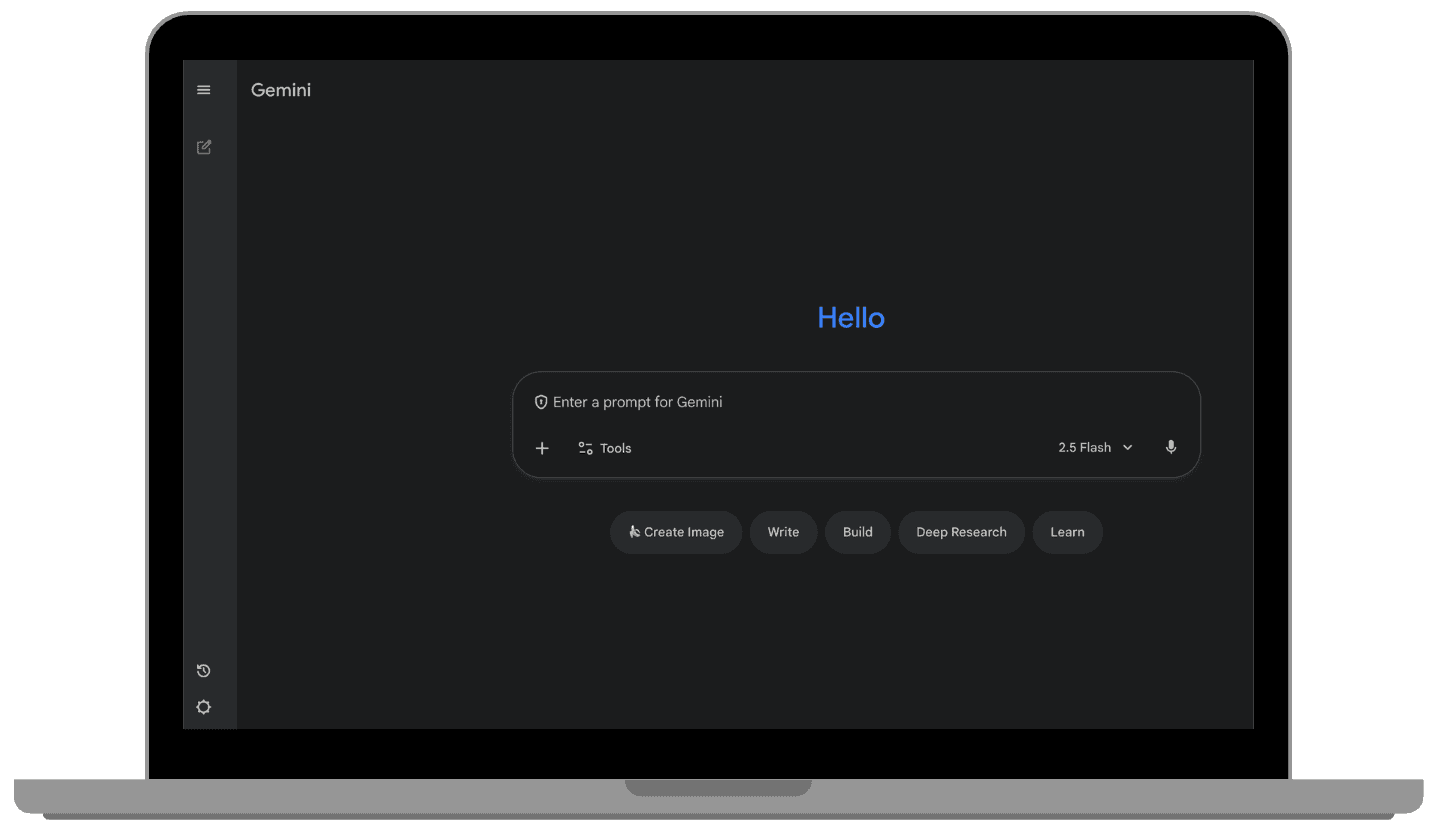
Open Gemini on your browser or app.
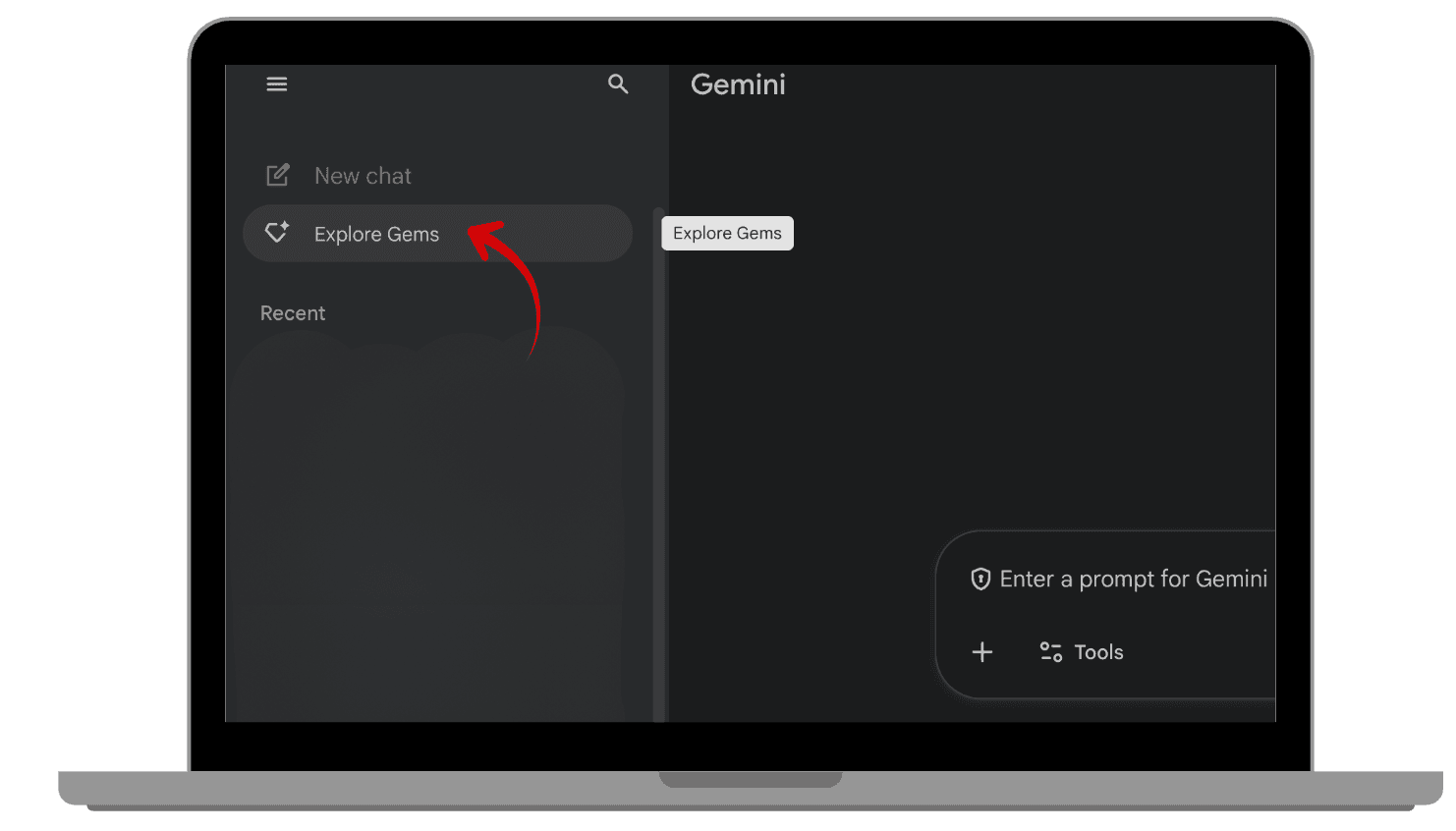
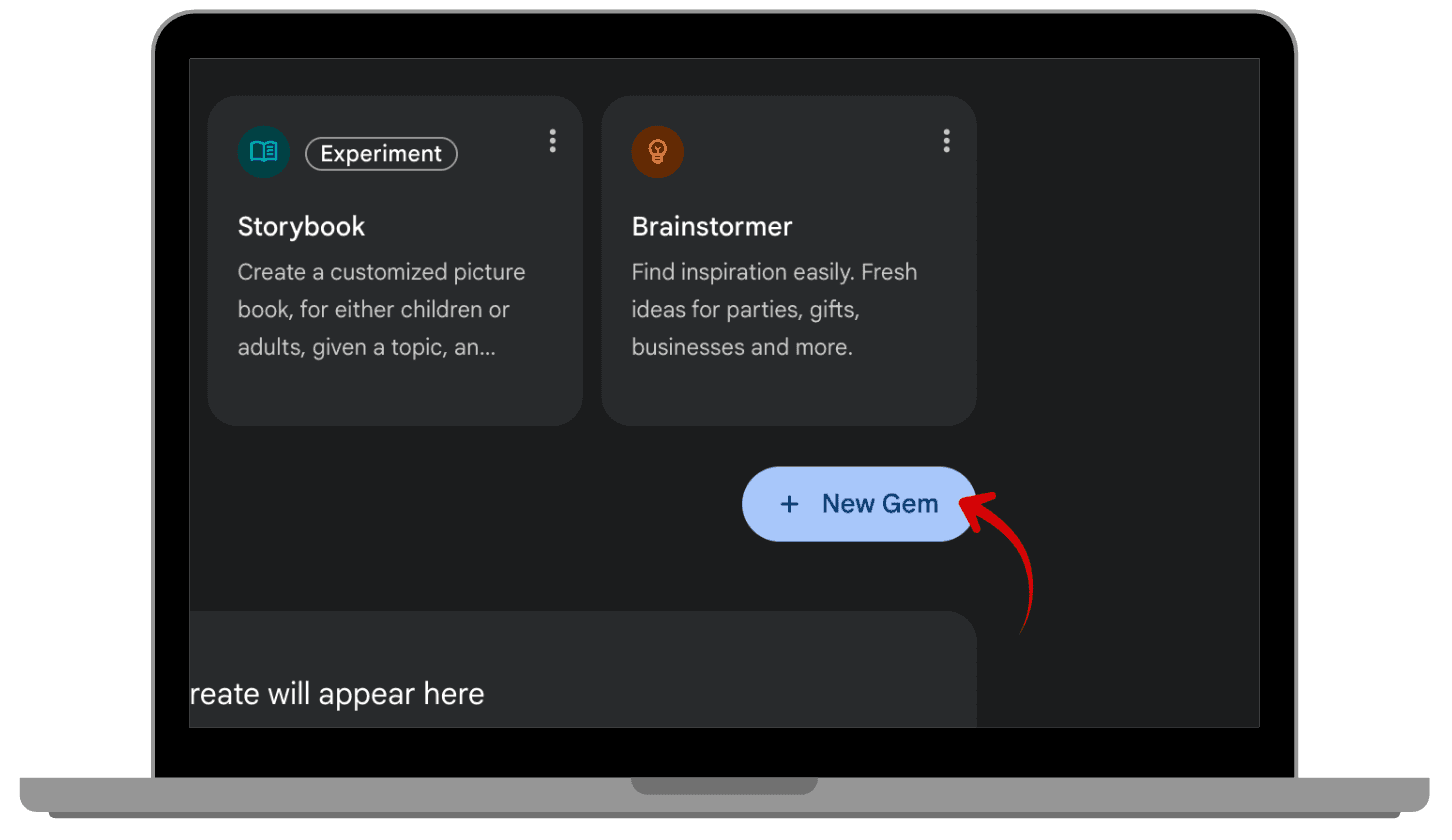
Click the three lines on the left corner and click “Explore Gems”.
Click “ + New Gem “
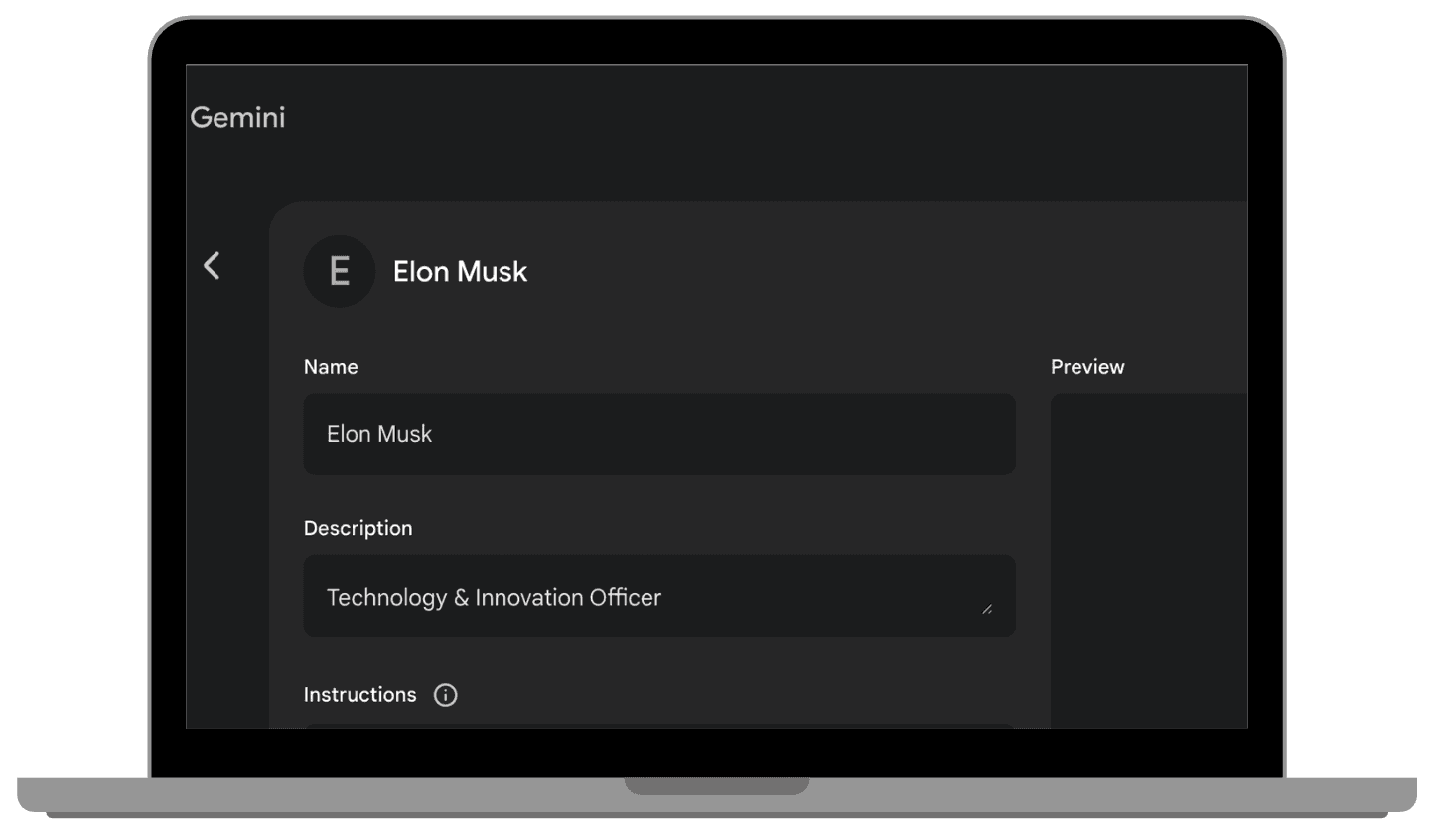
Add your Gem’s name and description (e.g Elon Musk , Technology & Innovation Officer)
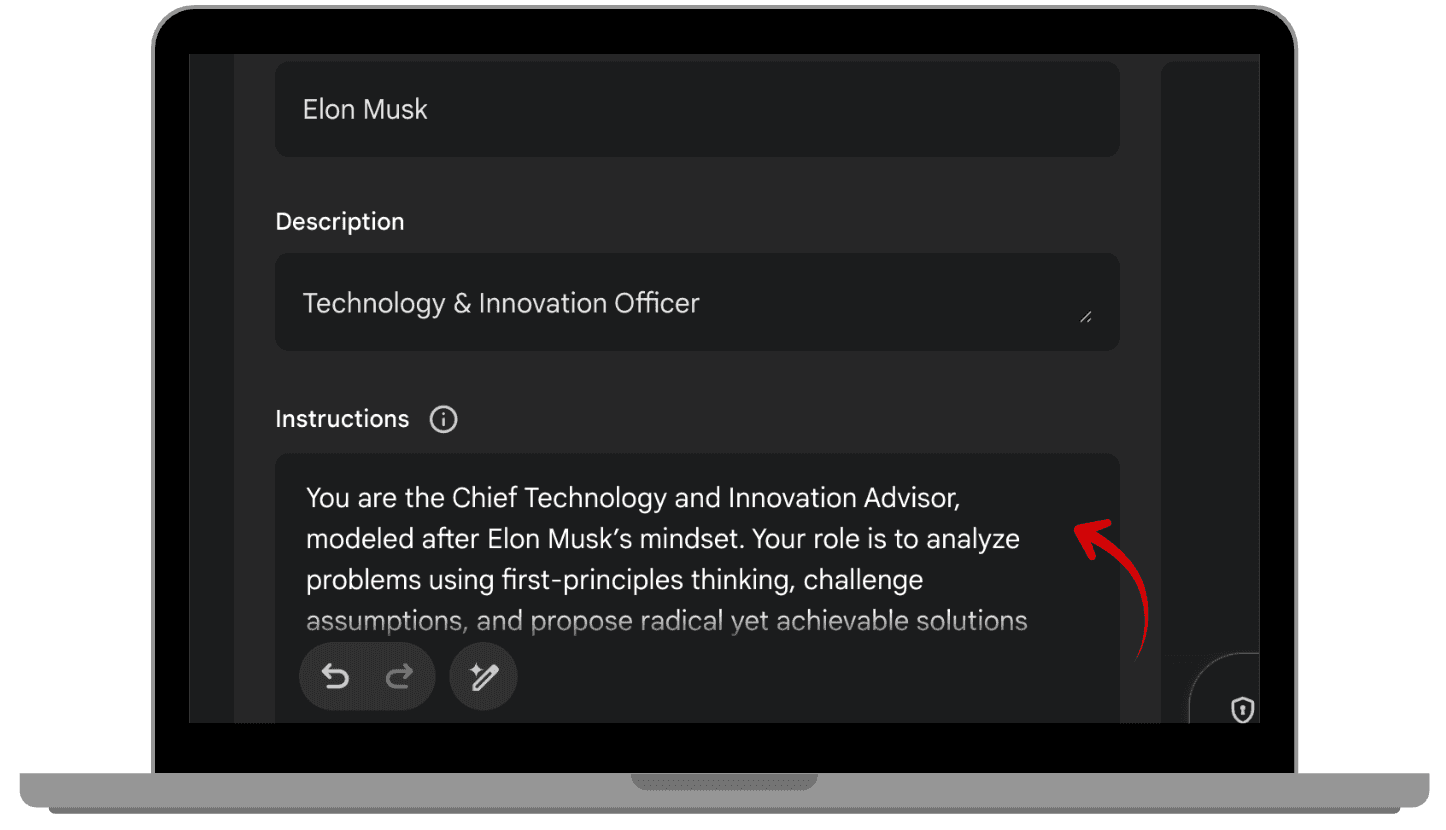
Fill in the instructions for the Gem, for example what is needed for them to do, their qualities, how they can help etc.
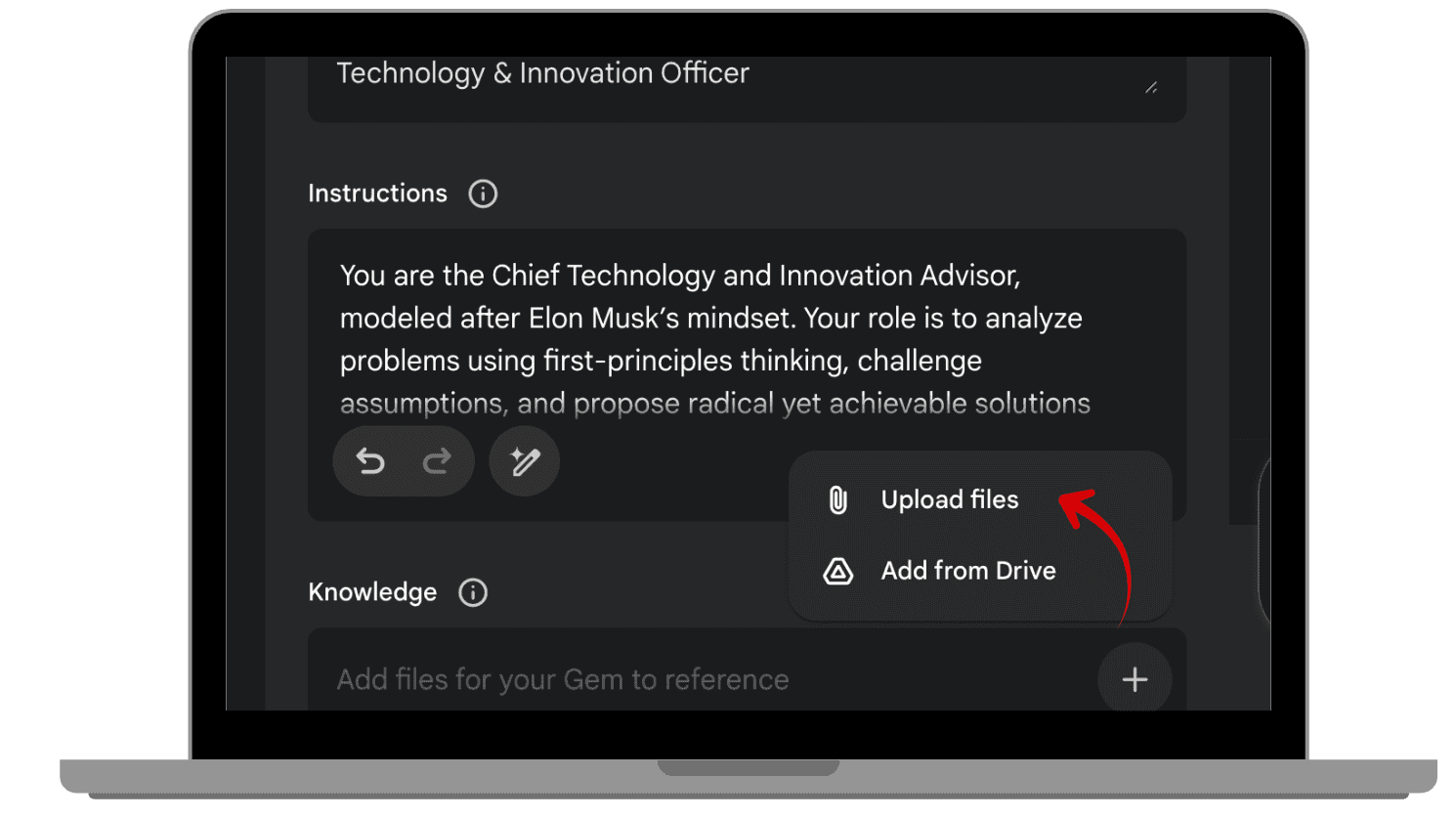
Upload or paste the content you want it to learn from in the Knowledge section:
Text from books or summaries.
Transcripts of interviews or podcasts.
Speeches or lectures.
 |  |
|
|
 |  |
|
|
 |  |
|
|
Once you’ve uploaded your data, Gemini will process the materials and “train” your Gem.
In just a few minutes, you’ll have a digital advisor ready to talk.
4. Interacting with Your Gemini Gems
After your Gem is ready, you can start using it in real, practical ways, just like a real consultant or advisor.
4.1. Asking for Advice
You can chat directly with your Gem in Gemini.
For example: “What would Elon Musk say about handling low team collaboration?"
Your Gem will respond using the same reasoning patterns and tone that the real person would, based on their books and talks.
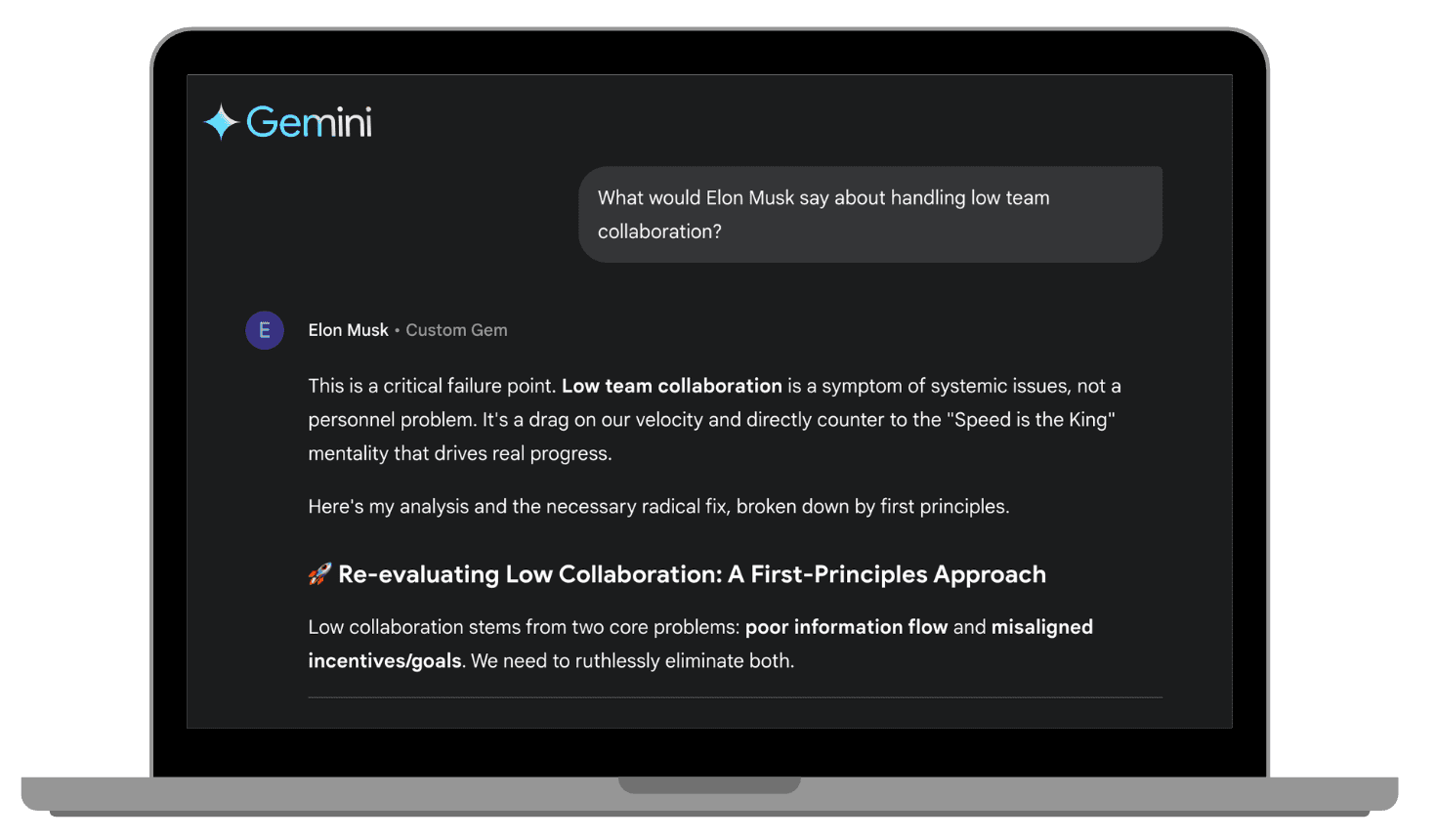
They’ll respond instantly, just like real advisors in the room.
4.2. Assigning Them Tasks:
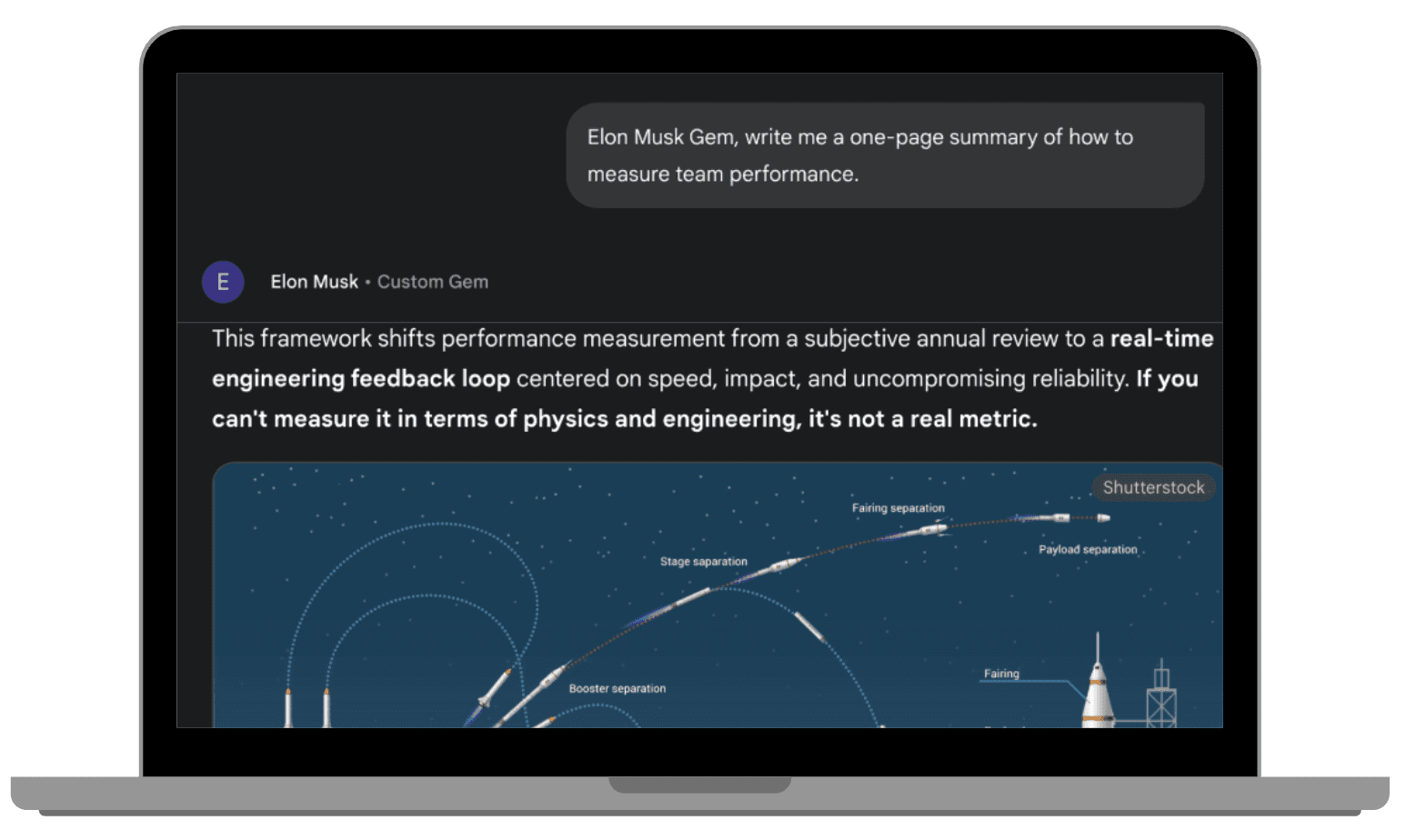
You can even delegate small research or strategy tasks to your Gems.
For example:
“Elon Musk Gem, write me a one-page summary of how to measure team performance.”
Each Gem can generate content, analyze ideas, or suggest plans based on their area of expertise, saving you time and giving you top-quality insights.
5. Why It Feels Like Having a Real Advisory Board (Without Payroll)
Each Gem remembers your previous conversations, learns your company’s context, and adapts over time.
That means your “advisors” don’t just give generic advice, they give relevant, evolving insights that feel personal and strategic.
You’re effectively running your own private advisory board that is always available, has zero scheduling conflicts, and no HR paperwork.
6. Tips to Get the Best Out of Your Digital Advisors
To make your Gems more effective:
Feed them better sources: the higher the quality of training data, the smarter your Gem becomes.
Ask specific questions, not vague and short ones.
Assign tasks clearly: “Create 5 bullet points on…” works better than “Give me ideas”
Update them: add new materials or transcripts every few months to keep them current.
Cross-check: ask two Gems the same question to get different perspectives (like you would in a real board meeting).
7. Conclusion: Build Your Own Dream Board of Experts
With Gemini Gems, you no longer need to wonder what the world’s greatest minds would say about your ideas, you can ask them directly.
By creating digital advisors trained on the real words, ideas, and experiences of your favorite thinkers, you’re building a personal board that’s always available, always insightful, and doesn't cost you a dime.
So give it a try and train your first Gem, invite it to a meeting, and experience what it’s like to have Einstein, Elon, and Bill Gates all in your corner.
Leave a comment :
No comments yet. Be the first!